Put your page in your social bios
Copy your page's address and add it to your Instagram, TikTok, YouTube, X and other profiles, with tags that show which bio sends visitors.
Your page's address is the one link to put in every bio. Paste it once in each app, and from then on everything you publish reaches visitors without touching your bios again.
Before you start
Publish your page first. Until it's published, anyone who opens the address sees "This page isn't available". See Publish your page and go live.
Copy your address
- Open your page in the editor.
- Select Page link, the link button in the top bar, beside Save draft. On smaller screens, it's under More.
- Select Copy link. Its icon turns into a tick for a moment to confirm it.
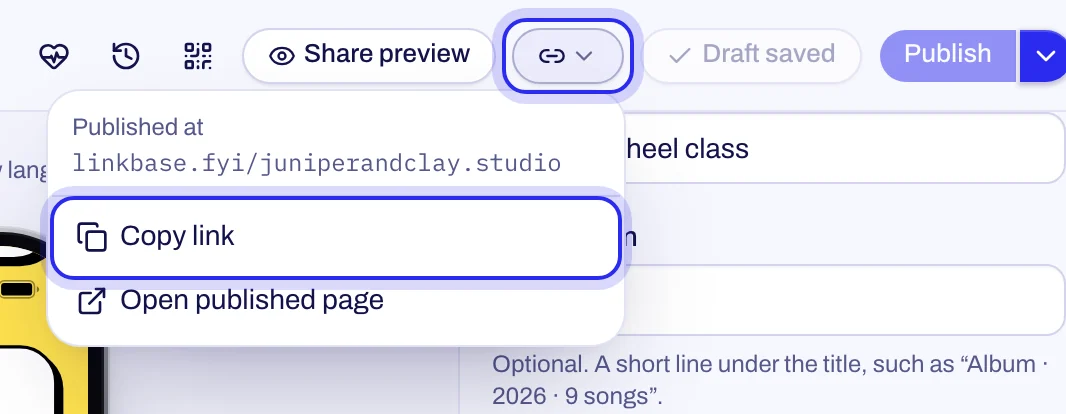
Copy link copies the full address, starting with https://, which every app recognizes as a link. You can also copy it from these places:
- Right after setup: select Copy link on "Your page is live".
- In Pages: each page's card shows its address.
Where to paste it
Each app keeps its link in the screen where you edit your profile. Apps rename these screens from time to time, so if a name below doesn't match, look for "Links" or "Website".
| App | Where the link goes |
|---|---|
| Edit profile, then Links, then add an external link | |
| TikTok | Edit profile, then Website. If you don't see it, TikTok hasn't offered the field to your account yet. |
| YouTube | YouTube Studio, then Customization, then Links |
| X | Edit profile, then Website |
| Your profile's details or Page info, under Links or Website | |
| Threads | Edit profile, then Links |
| Contact info, then Website | |
| Edit profile, then Website | |
| WhatsApp Business | Business profile, then Website |
Links in Instagram captions can't be tapped, which is why "link in bio" works: mention your page in the caption and point people to your profile.
See which bio sends the most visitors
Give each app its own version of your address by adding a UTM tag to the end:
https://…/yourname?utm_source=instagramin your Instagram biohttps://…/yourname?utm_source=tiktokin your TikTok bio
The tag doesn't change what visitors see. In Analytics, each source shows separately, so you can compare them. Without tags, Analytics still shows the sites and apps visitors came from when it can tell, but not every app passes that on. A tag makes it certain. See Track campaigns with UTM tags and See where your visitors come from.
Change what your bio link leads to by editing your page, not your bios. Put this week's release or sale at the top of your page and publish: the address in every bio stays the same.
Send people straight to one tab
Each tab of your page has its own address, like …/yourname/menu. To find it, open the tab's menu in the editor and choose Edit tab: the address field says "Visitors open this tab at" followed by the path. Use it when one app's audience wants something specific, such as a booking tab in your business profile. See Link straight to one tab of your page.
Beyond social apps
- Add your address to your email signature, your website and your messaging profiles.
- For flyers, menus, packaging and shop windows, use a QR code: see Create and style a QR code.
- For every other way to share, see Share your page.
Keep the link working
- Your address stays the same however often you edit and publish.
- Unpublishing the page, or a trial or plan ending, makes the address show "This page isn't available" until the page is back online.
- If you change your address, the old one forwards to the new one for 90 days. Update every bio within that time. See Choose or change your page address.
Troubleshooting
The app won't accept the link. Paste the full address that Copy link gives you, starting with https://, with no spaces before or after it.
The link opens "This page isn't available". The page isn't published, or it's paused because your trial or plan ended. Check its status in Pages.
The preview card in a chat shows old text or an old image. Many apps save a link's card when it's first shared and refresh it later. To choose what the card shows, see Set your search title, description and share image.