See where your visitors come from
Read the referrers, campaigns, countries, devices and languages cards, and learn what Direct or unknown really includes.
The cards on Analytics show which sites and apps sent your visitors, which tagged links they followed, where they were and what they used. Check them to see which posts and places are worth your time.
Find the cards
- Select Analytics in the sidebar.
- Choose a Page, or All pages, and a Date range in the row of filters. Every card follows them.
- Select a tile at the top, such as Views or Clicks. The cards rank their rows by it.
- Scroll past the chart. Devices sits beside the chart, and Referrers, Countries, Campaigns and Languages are further down.
How to read the cards
- Each card ranks its rows by the tile selected at the top: Views, Unique visitors, Clicks or Click rate. Select Clicks to see which sources lead to clicks, not just visits.
- A card shows its top eight rows. Show all lists every value with all four numbers.
- A visitor counts under every value they had, so the rows of a card can add up to more than your total visitors. Someone who arrives from two different sites in a day appears under both.
- Nothing in this period means the card has no data for the dates you chose.
Referrers
The sites visitors came from, by address without "www.", such as youtube.com. A few apps report themselves by their app ID instead of a website, such as com.google.android.gm for Gmail on Android.
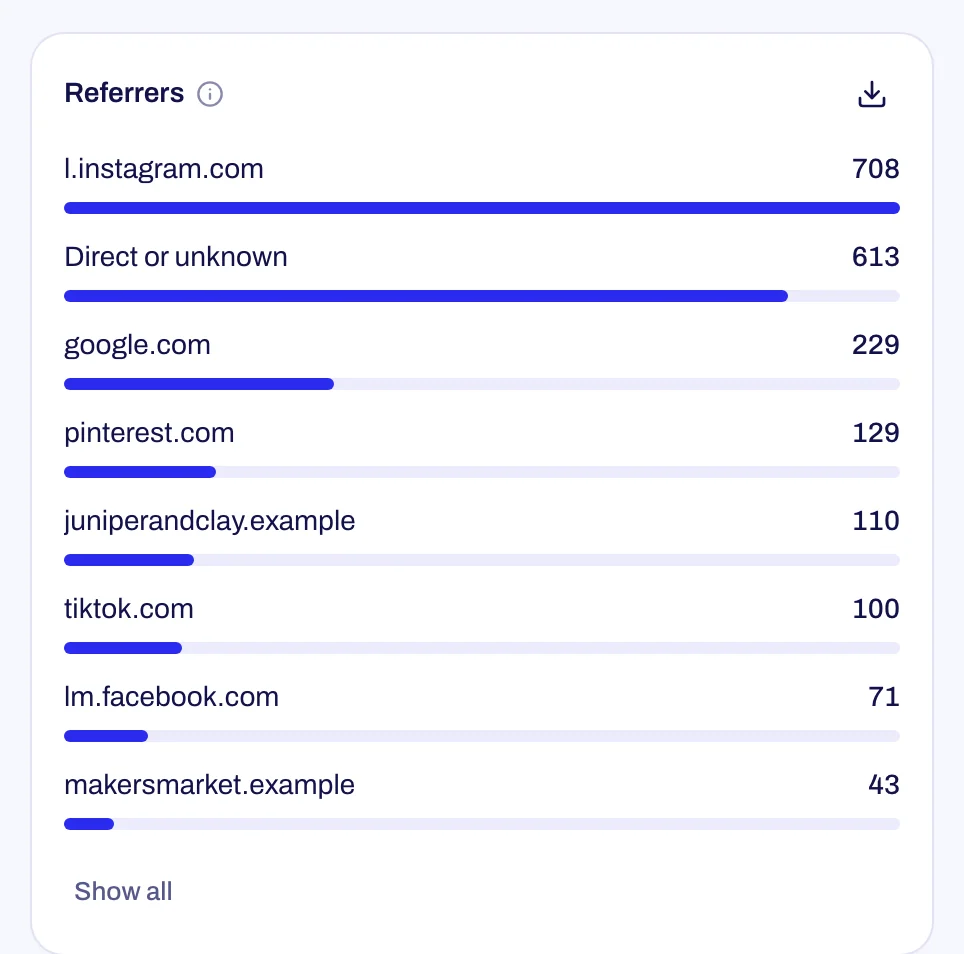
Direct or unknown means the visit arrived with no referring site. That includes:
- addresses typed in or opened from bookmarks;
- many apps, which open links without saying where they came from;
- browsers and privacy settings that hide where a visitor came from;
- scans of your page's QR code, which open your page directly (the scans themselves are counted under Links → Analytics);
- switching tabs on your page: each tab counts as a view, without a referrer.
When an app hides where people came from, tag the link you put in it. Track campaigns with UTM tags shows how, and the visits then appear under Campaigns whatever the app sends.
Campaigns
Visits from links tagged with UTM parameters. Switch between Source, Medium and Campaign at the top of the card to see utm_source, utm_medium and utm_campaign. None is visits whose address had no tag. The card is on every plan.
Countries
Where visitors were, worked out from their internet connection when they visited and named in your language. Someone using a VPN appears in the VPN's country. Unknown means the location couldn't be worked out.
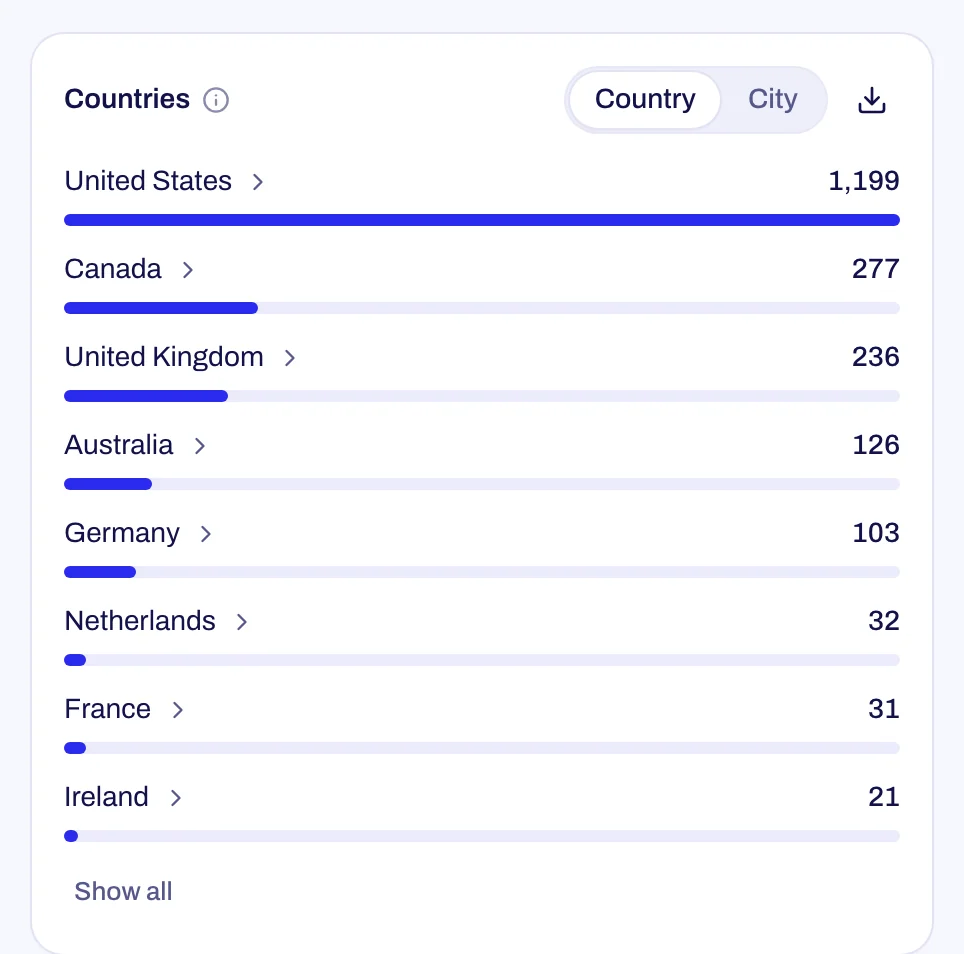
On Pro and Team, the card also has a City tab, and selecting a country shows its cities. See Use advanced analytics.
Devices
The Devices card, beside the chart, is a donut chart with three tabs:
- Device: Mobile, Tablet or Desktop.
- Browser: Chrome, Safari and the others by name. Apps with a built-in browser are named when Linkbase can tell which app it is, such as Instagram, TikTok or Facebook. In-app browser is one it can't name.
- System: iOS, Android, Windows, macOS and so on.
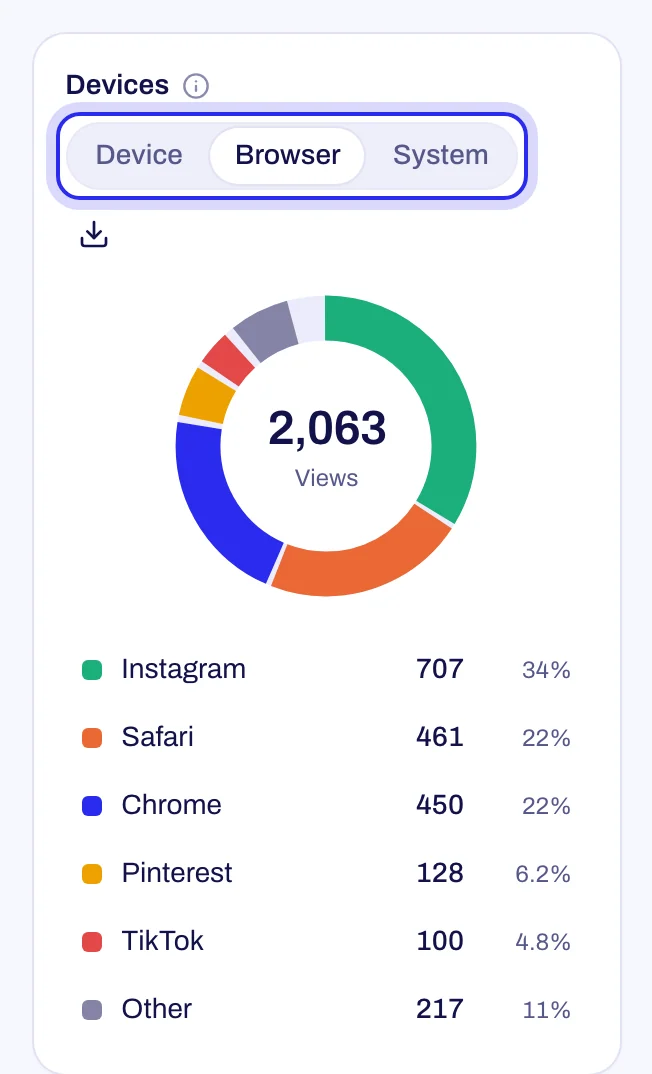
The chart shows up to six parts and folds the rest into Other. The list below it gives every part's number and share.
A high share of in-app browsers is normal for a page shared in social bios. Someone who taps your link in an app and later opens your page in their phone's own browser counts as two visitors, because the two browsers describe themselves differently.
Languages
The language each visitor's browser asks for first, with its region when the browser gives one, such as "Brazilian Portuguese" or "Canadian French". It's a good guide to which languages your page should speak. See Choose your page's default language.
Channels
On Pro and Team, a Channels card groups every visit by kind of source: Direct, Social, Search, Email, Paid, Other sites and Tagged links. Select Social, Search, Email or Other sites to see the sites behind it. Use advanced analytics explains how each visit is sorted.
Common questions
Why is Direct or unknown my biggest source? When your page is in social bios, most visits come from apps, and many apps don't pass on where a visitor came from. Tab switches add to it too. Tag your bio links to tell the apps apart.
Why is Instagram listed as a browser? People who tap your link in Instagram open it in Instagram's built-in browser, so that's the browser the visit used. The referrer, if the app sends one, is in Referrers.
Why can't I see cities? Cities are part of advanced analytics on Pro and Team. Visitors whose browsers ask not to be tracked are counted in their country, never in a city.