Add a video, song or podcast player
Play videos, songs, playlists and podcasts on your page with the Video, Music, Audio, Media grid and Embed blocks, and see which services each plays.
Paste a link from YouTube, Spotify and other services to show a player on your page, or upload your own video and audio files. Most players stay as a light cover until a visitor presses play, so your page loads fast and the service can't set cookies before then.
Pick the right block
| You have | Use |
|---|---|
| A YouTube, Vimeo, Loom, TikTok or Twitch link | Video |
| A Spotify, Apple Music, SoundCloud, Deezer or Bandcamp link | Music |
| The web address of an audio file, such as a podcast episode's MP3 | Audio |
| Video or audio files of your own, or several players in a grid | Media grid |
| A player that should load as soon as the page opens | Embed |
All of them are in the block library: Embed under Embeds, the rest under Media.
Add a video
- Select Add block, then Video, under Media.
- In the settings panel, paste the link into Video link. A video's embed code works too.
- Optional: add a Title, shown on the cover and read by screen readers.
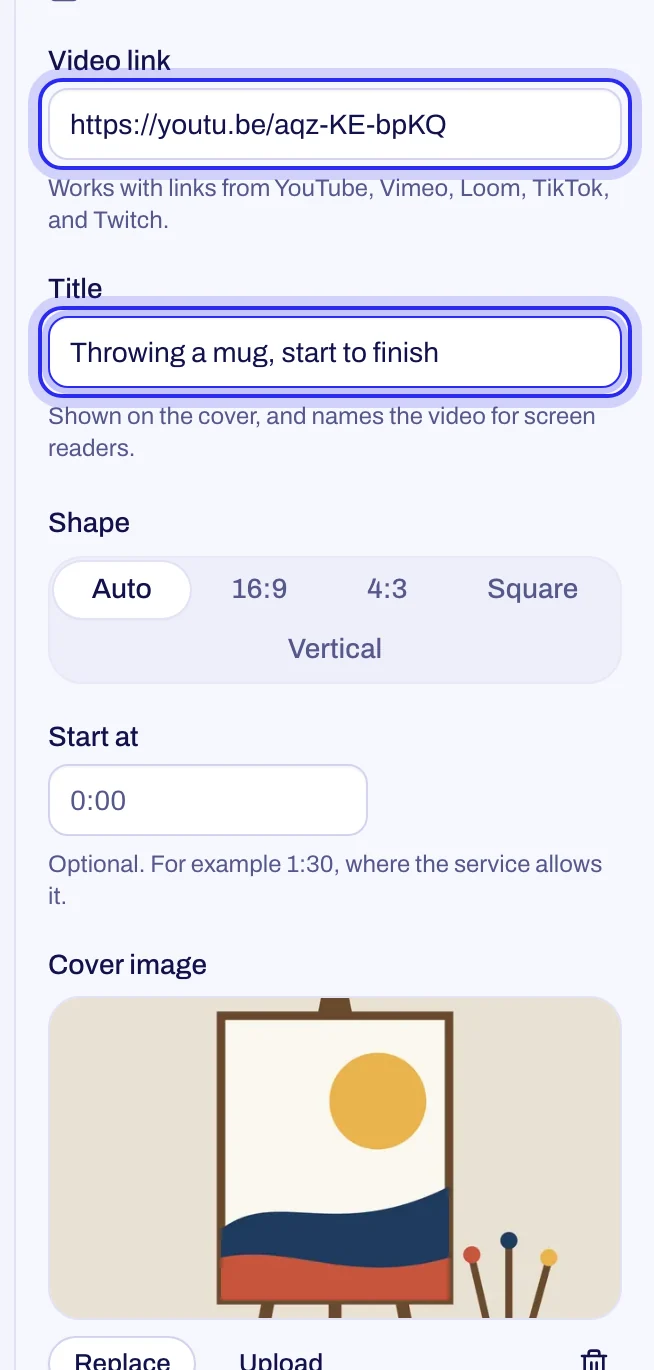
- Optional: pick a Shape: Auto, 16:9, 4:3, Square or Vertical. Auto stands upright for YouTube Shorts and TikTok.
- Optional: set Start at, such as 1:30, where the service allows it, and a Cover image to show until someone presses play.
On the preview, the video shows as its cover with a play button and "Loads from YouTube when you press play".
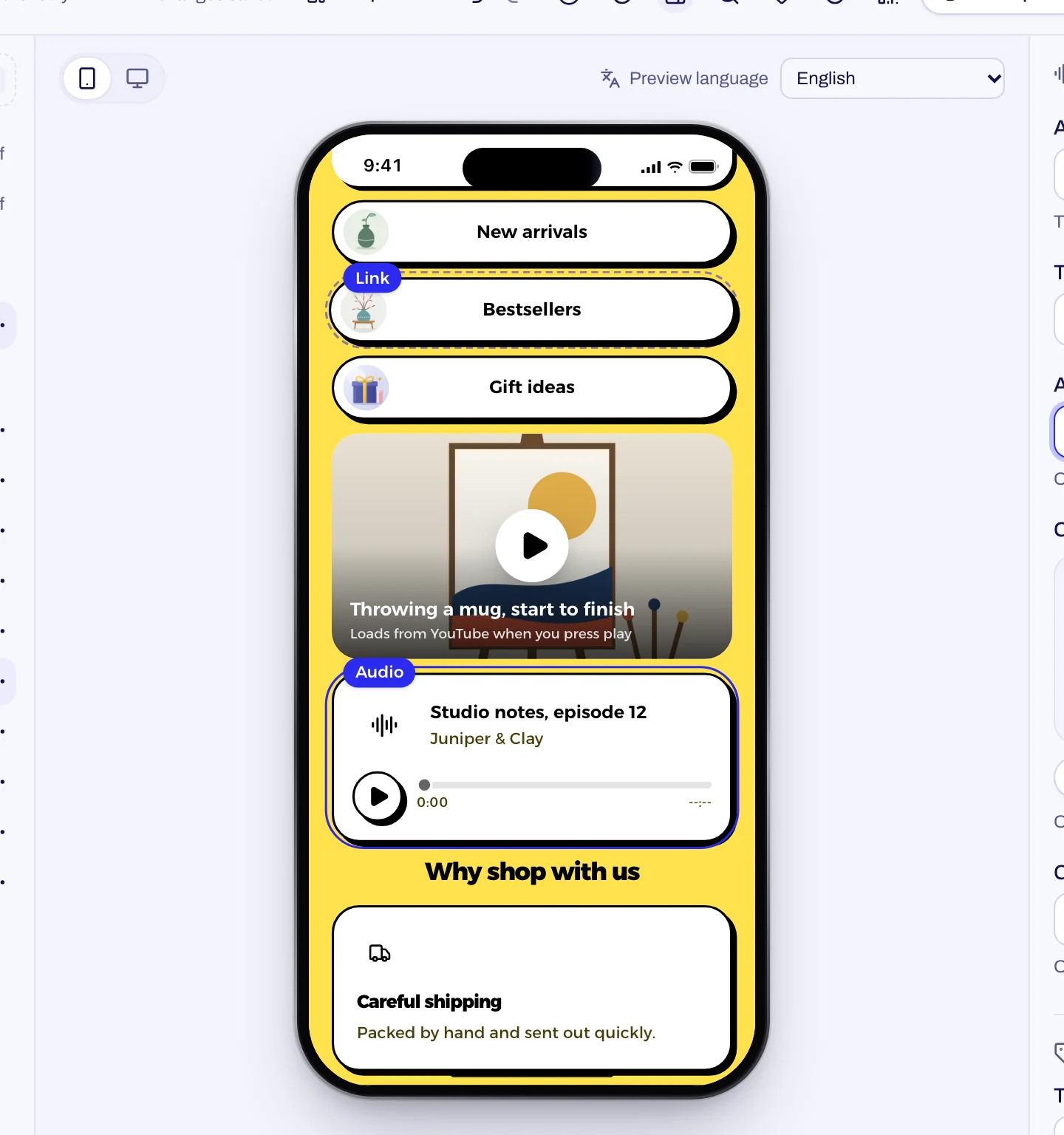
YouTube links work for videos, Shorts and live streams, and Twitch links for channels, videos and clips. YouTube plays from its privacy-enhanced address, and Vimeo with do-not-track.
Add a song, album or playlist
- Select Add block, then Music.
- Paste the link into Music link.
- Choose a Player size: Compact or Full.
- Optional: add a Title and a Cover image, such as album art, shown until someone presses play.
For Bandcamp, its links don't say which album they are, so paste the code from Share, then Embed, on Bandcamp instead.
Add a podcast
- On Spotify, SoundCloud or Deezer: use a Music block with the show's or the episode's link.
- With the episode's audio file: use an Audio block. Paste the file's
https://address into Audio file address, then add a Title, an Artist and a Cover. Your podcast host usually lists the file's address in the episode's details or RSS feed.
Visitors get a player with play, pause and a seek bar, and nothing downloads until they press play. Audio blocks play MP3, M4A, OGG and WAV files best.
Apple Podcasts links aren't supported. Use the episode's audio file in an Audio block, or a Link block to your show.
Upload your own video or audio
The Media grid plays files from your media library, beside photos and players from other services.
- Select Add block, then Media grid.
- Drop files on it, select Upload, or Choose from library. To add a player, paste a link under Video or music link.
- Give each item a Size: Normal, Wide, Tall or Large, and set the grid's Columns and Cell shape.
A media grid holds up to 24 items. Videos can be MP4, WebM or MOV files up to 50 MB, and audio files MP3, M4A, AAC, OGG, WAV or FLAC up to 15 MB. Visitors press play to start an item, or View larger to open it bigger. See Upload and reuse images for the library itself.
When to use Embed
The Embed block shows a player from YouTube, Vimeo, Spotify, SoundCloud, Apple Music or TikTok that loads as soon as the page opens. That means more for the page to load, and the service can set cookies right away. For most players, Video and Music are the better choice.
Troubleshooting
"This link isn't from a supported video service." Check that the link opens one video on one of the services above (or, for Twitch, a channel), not a profile, playlist or search page. Copy the link from the service's Share button.
"This link isn't from a supported music service." Check the service is one the Music block plays. For Bandcamp, paste the embed code, not the page's link.
"This address doesn't end in .mp3, .m4a, .ogg or .wav, so some browsers may not play it." The address may lead to the episode's web page rather than the file. Copy the direct link to the audio file.
The player doesn't show on my live page. A Video, Music or Embed block without a supported link stays off your page. Check for the dashed box on the preview, and publish.
For ideas on what to put in a player, read Voice notes, samples and demos and the guide for podcasters.