View, search and export your audience
Find your subscribers and form replies in Audience, unsubscribe or delete someone, and download everything as a CSV file.
Audience holds what visitors send you from your pages. Subscribers lists everyone who joined your email list, through an email signup block or an email gate. Forms keeps every reply to your form blocks. Come here to find someone, remove them, or download your list for your email tool. Both lists export as CSV.
Before you start
- Who can see it: owners, admins, client admins and editors. Viewers see a notice instead.
- Members with access to some pages only see those pages' subscribers and replies, in the lists, the counts and the exports.
- Who can unsubscribe, delete and export: the same roles that can see it.
Subscribers
Open Audience in the sidebar. It opens on the Subscribers tab. Each row shows the person's email, name, page, status and the date they signed up, newest first. Above the list you'll see how many are subscribed, and how many are waiting to confirm or have unsubscribed.
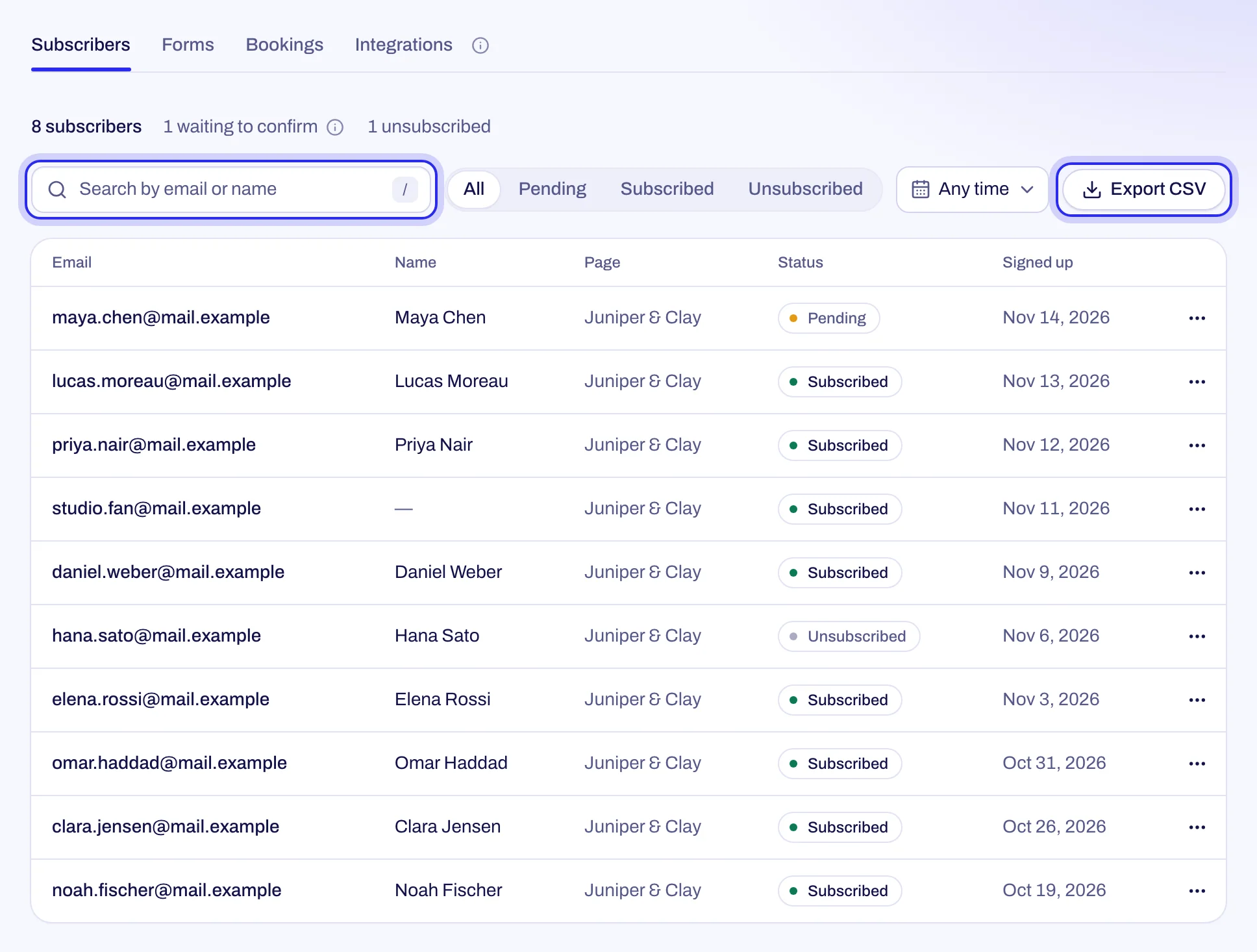
| Status | What it means |
|---|---|
| Subscribed | They're on your list |
| Pending | They signed up through a block with double opt-in and haven't confirmed their address yet |
| Unsubscribed | They left through their subscription link, or someone in your workspace unsubscribed them |
Search and filter
- Type in Search by email or name. Every word you type must match, so "elena rossi" finds Elena Rossi.
- Choose a status: All, Subscribed, Pending or Unsubscribed.
- If the workspace has more than one page, choose one under Page, or keep All pages.
- Narrow by sign-up date: Any time, Last 7 days, Last 30 days, Last 90 days or Last 12 months.
The number of matches appears above the list. Clear filters brings everything back. The list shows 50 people at a time: use Older and Newest to move through it.
Unsubscribe or delete someone
- Open the menu (...) at the end of the person's row.
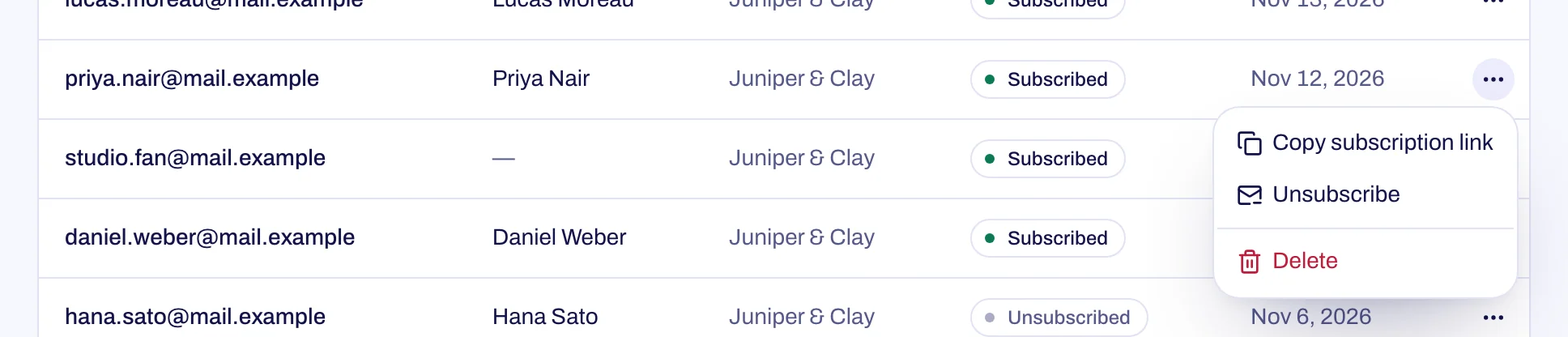
- Choose one:
- Unsubscribe keeps them on the list with the status Unsubscribed, so you have a record that they left.
- Delete removes their address and signup details for good. Confirm with Delete subscriber.
If you've connected a webhook, unsubscribing someone sends subscriber.unsubscribed so your email tool can stop writing to them. Deleting sends nothing, so unsubscribe first if your other tools need to know.
Someone you deleted can sign up again later, and joins as a new subscriber. Someone you unsubscribed can rejoin by signing up again through an email signup block. Leaving their address at an email gate doesn't put them back on the list.
Copy someone's subscription link
Copy subscription link, in the same menu, copies the person's own page on Linkbase, where they can confirm or unsubscribe. Put it in the emails you send from your own tool so people can always leave. The export includes everyone's link in the manage_url column.
Form replies
Open Audience → Forms. Each form shows its title, its page, how many replies it has and when the latest arrived, most recent first. A form appears here once it receives its first reply.
- Select a form to see its replies, newest first, 50 at a time. There's a column for each field the form has had, and Sent shows when each reply arrived.
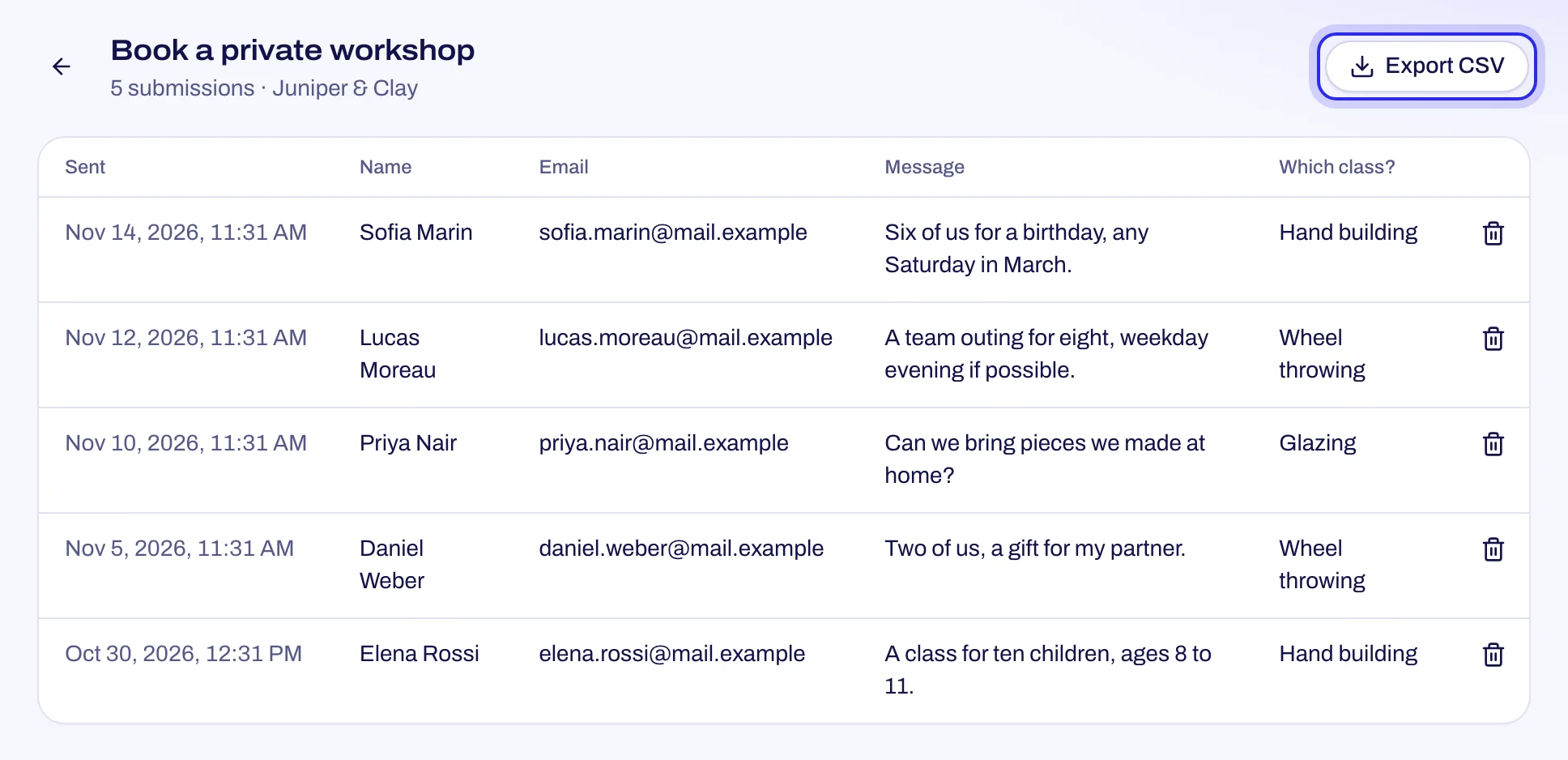
- To remove one reply, select the trash icon on its row and confirm with Delete. It's removed for good, and from future exports.
To go back to all your forms, select the back arrow beside the form's title.
Export as CSV
- Subscribers: in Subscribers, set any filters you want, then select Export CSV. The file holds what your filters show. Columns:
email,name,status,page,signed_up_at,confirmed_at,unsubscribed_atandmanage_url. - Form replies: open a form and select Export CSV. Columns:
submitted_at, one per field, named with your field labels, thenlanguage(the language the visitor saw) andid.
Files open correctly in Excel and other spreadsheet apps, and hold up to 100,000 rows each. Any cell that starts like a spreadsheet formula gets an apostrophe in front, so opening the file can't run anything a visitor typed.
Each export is recorded in the workspace's audit log. Your subscribers' and visitors' details are personal data: keep exported files somewhere safe, and delete people who ask you to.
Common questions
My form isn't in the Forms tab. It hasn't had a reply yet. Send a test from your published page, not from the editor, where forms can't be sent.
The same person appears twice. They signed up on two of your pages. Each page keeps its own list.
Does deleting a page delete its audience? Yes. When a page is deleted, its subscribers and form replies are deleted with it, so export them first if you want to keep them.
How do I email my subscribers? Linkbase doesn't send newsletters. Export the list and import it into your email tool, or send new subscribers there as they arrive with a webhook.
Someone asked for their data to be removed. Delete their subscriber entry, and any form replies they sent. For a copy of everything in your account, see Download your data.