Get an email for each form reply
Turn on email alerts for a form so each new reply reaches your inbox, and learn who receives them and what they show.
Each form can email you every reply as it arrives, with the answers in the email, so you can answer people quickly without checking Linkbase. The setting is called Email me about new submissions, and it's on for every new form.
Who gets the alerts
- The workspace's owners. Admins, editors and other members don't get them. To pass replies to a teammate or a shared inbox, see "Send alerts somewhere else" below.
- In each owner's language. The email uses the language set on the owner's account, whatever language the visitor used.
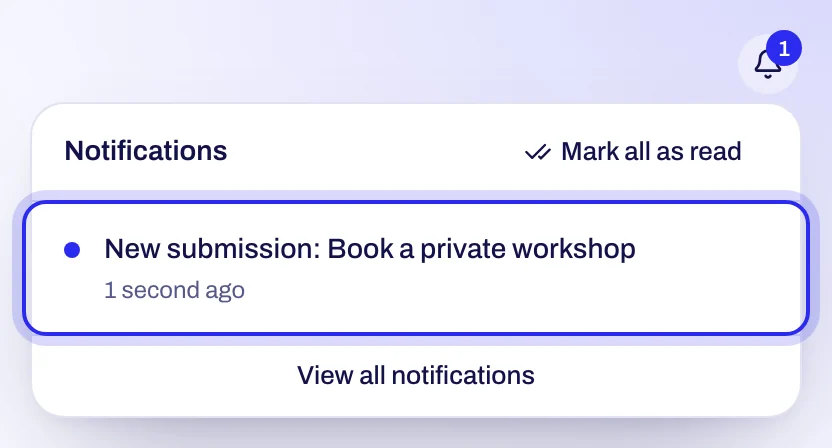
- In the dashboard too. Each alert also appears under the Notifications bell. Opening it takes you to the form's replies.
Turn alerts on or off
- Open your page in the editor and select the form in the structure panel on the left. Its settings open on the right.
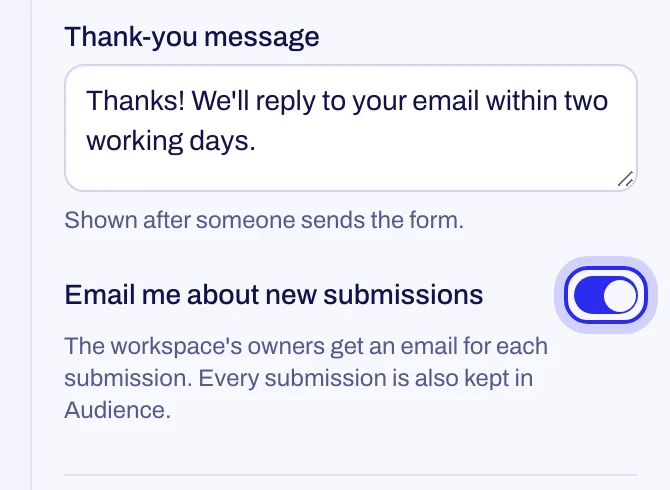
- Below Thank-you message, turn Email me about new submissions on or off.
- Select Publish in the top bar.
The change takes effect once you publish, because the published page decides what happens to each reply. Either way, every reply is still kept in Audience → Forms.
The setting is per form. If your page has several forms, set it on each one.
What the email shows
- The subject reads "New submission:" followed by the form's title, or your page's name if the form has no title.
- The answers, labeled with your field labels. Up to 20 answers are listed, and very long answers are shortened. Optional fields the visitor left empty are left out.
- Ticked choices appear separated by commas, and a ticked consent box shows "Yes".
- A See all submissions button that opens the form's replies in Audience.
The full reply, every answer in full, is always in Audience → Forms and in the form's CSV export. See View, search and export your audience.
Alerts are for form replies only. Email signups and email gates don't send you an email for each new subscriber. To hear about those as they happen, connect a webhook.
Send alerts somewhere else
Linkbase emails each owner's account address. To have replies reach another inbox, a team chat or a spreadsheet, connect a webhook to an automation tool: it receives every reply as it arrives, whether or not email alerts are on.
To change the address the owner's alerts go to, change the owner's account email. See Change your email or password.
Troubleshooting
I'm not getting any alerts.
- Check that Email me about new submissions is on, and that you published after turning it on.
- Check that you're one of the workspace's owners. Admins and editors don't get alerts; see Roles and what each can do.
- Look in your spam or promotions folder, and mark the email as not spam.
- Check Audience → Forms. If the reply is there, it arrived and only the email is missing. If it isn't, the reply was never sent: test from your published page, not from the editor or a preview link, where forms can't be sent.
I get too many alerts. Turn Email me about new submissions off and publish, then read replies in Audience → Forms when it suits you. Each form there shows its number of replies and when the latest arrived. With alerts off, new replies don't appear under the Notifications bell either.
The email shows a label I didn't write. A field with an empty Label uses its type's default label, such as "Name" or "Message", in the owner's language. Give the field a label to see your own words.
The email says "New submission" followed by my page's name. The form has no Title. Give it one so you can tell forms apart.