Confirm signups with double opt-in
Ask new subscribers to confirm their address from an email before they join your list, and see who is still waiting.
With double opt-in, people who sign up get an email from Linkbase and join your list only once they confirm. Turn it on when you want a clean list: typos and fake addresses never reach it, and each confirmation shows that the person really asked to hear from you.
Turn it on
- Open your page in the editor and select your Email signup block in the structure panel on the left. Its settings open on the right.
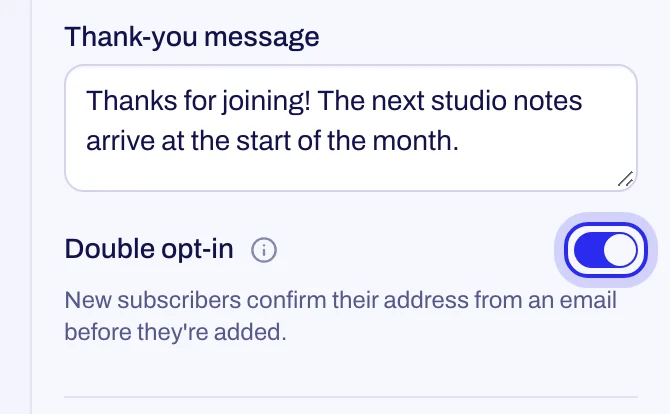
- Turn on Double opt-in, below Thank-you message.
- Select Publish in the top bar.
The setting applies to signups from that moment on. People already on your list keep their status.
Double opt-in is set per block. If your page has more than one Email signup block, turn it on in each one.
What the subscriber sees
- On your page. After they sign up, the form shows "Almost done: check your inbox and confirm your email address." This replaces your thank-you message, so they know to look for the email.
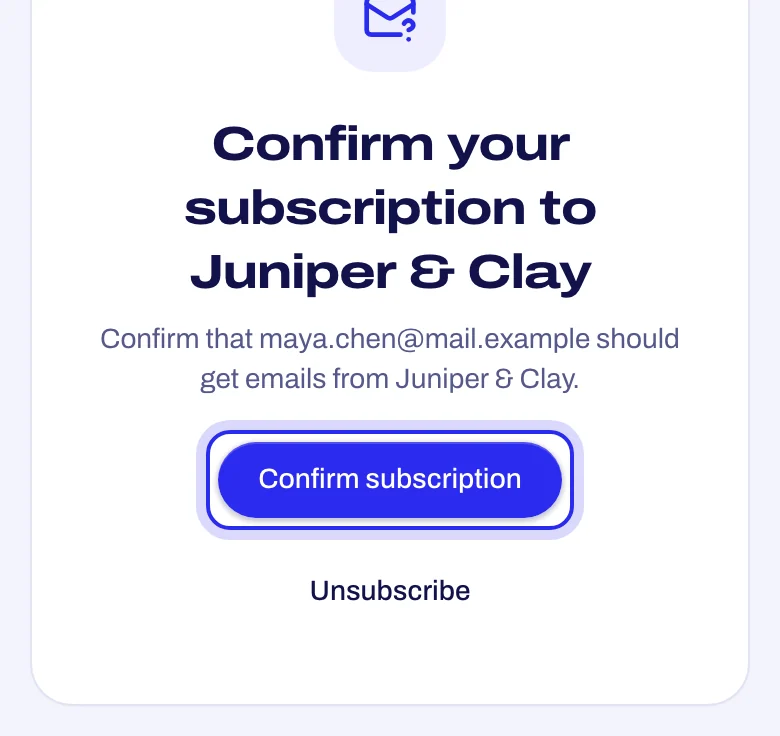
- In their inbox. An email titled "Confirm your subscription to" followed by your page's name. It comes in the language your page showed them, in any of the 40 page languages, including one they picked with the Language button. It says which address signed up and has a Confirm subscription button. If they didn't sign up, it tells them to ignore it.
- On the confirmation page. The button opens a page with Confirm subscription and Unsubscribe. Opening the link changes nothing by itself, because email security scanners open links too. They need to select Confirm subscription.
- Once confirmed. The page changes to "You're subscribed to" and your page's name, with an Unsubscribe button they can come back to at any time.
See who is waiting
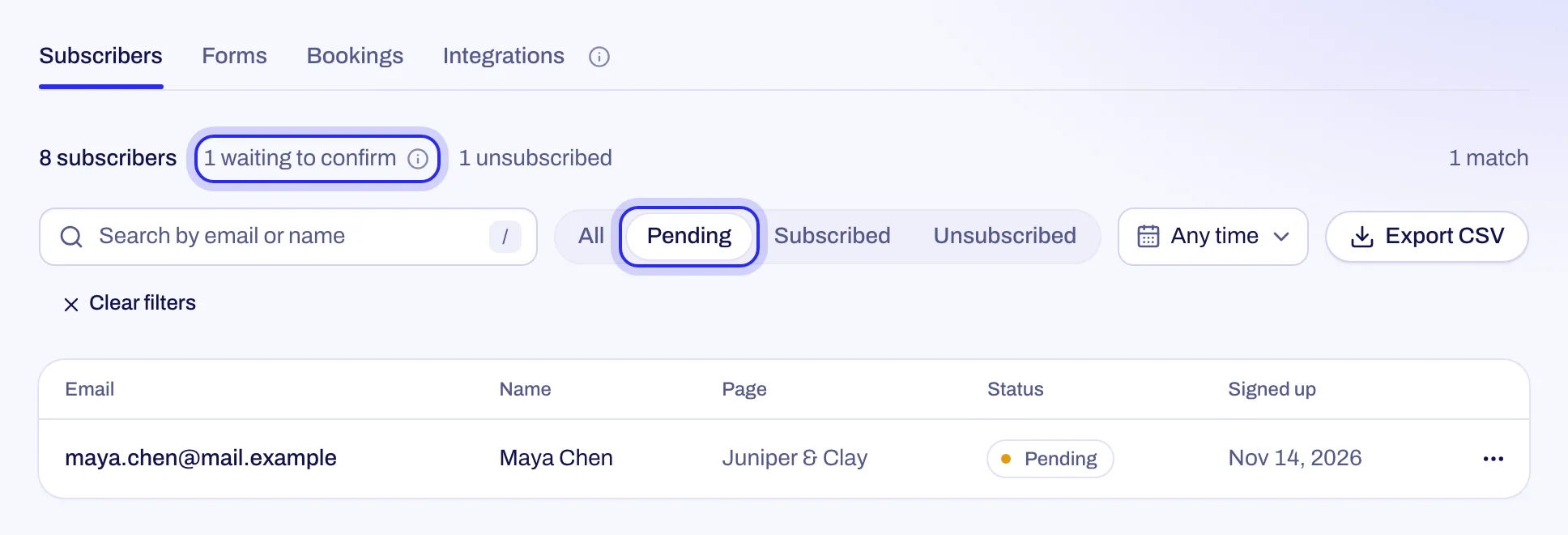
- Open Audience → Subscribers. New signups have the status Pending until they confirm, then Subscribed.
- The summary above the list shows how many are waiting, for example "1 waiting to confirm".
- To see only them, choose Pending in the status filter above the list.
If you've connected a webhook, it receives subscriber.confirmed when someone confirms. Nothing is sent while they're pending, so unconfirmed addresses never reach your other tools.
Pending subscribers count toward your plan's subscriber limit, if it has one. Delete old pending entries you don't expect to confirm to make room.
Troubleshooting
The confirmation email didn't arrive. Ask the person to check their spam or promotions folder. If it isn't there, they can sign up again on your page: that sends a new email, at most one every 10 minutes for the same address. You can also send them their confirmation link yourself: in Subscribers, open the menu at the end of their row and choose Copy subscription link.
Someone confirmed but still shows as Pending. Reload the page. If they opened the email's link without selecting Confirm subscription, they're still pending; ask them to open it again and select the button.
Someone who unsubscribed wants back in. They sign up again on your page. With double opt-in on, they get a new confirmation email and stay Pending until they confirm.
An address that's already subscribed signs up again. Nothing changes and no email is sent. They see the same message as anyone else, so nobody can use your form to find out who is on your list.
Things to know
- Email gates don't use double opt-in. Visitors who leave their address to unlock a link, folder or tab join as Subscribed straight away, whether or not your signup blocks use double opt-in.
- Turning it off later means new signups are subscribed at once, from the next time you publish. People who are pending stay pending until they confirm.
- You can't confirm someone yourself. Confirmation has to come from the person, so it proves the address is theirs. Send them their subscription link instead.
- Linkbase sends only the confirmation email. Your newsletters and updates go out from your own email tool. See Collect email signups for how signups reach it.
If you're on the other side and got a confirmation email you didn't expect, see Stop emails from a page you signed up to.