Change your privacy choices on a page
Accept, decline or withdraw consent for the tracking services a page uses, and why some pages never ask you at all.
Some Linkbase pages use tracking services their owner added: Meta Pixel, Google Analytics or Google Tag Manager. They load only if you accept, and you can change your answer at any time with Privacy choices at the bottom of the page.
When a page asks
On a page with tracking services, a box titled Cookies and tracking appears at the bottom of the screen and names the services the page uses.
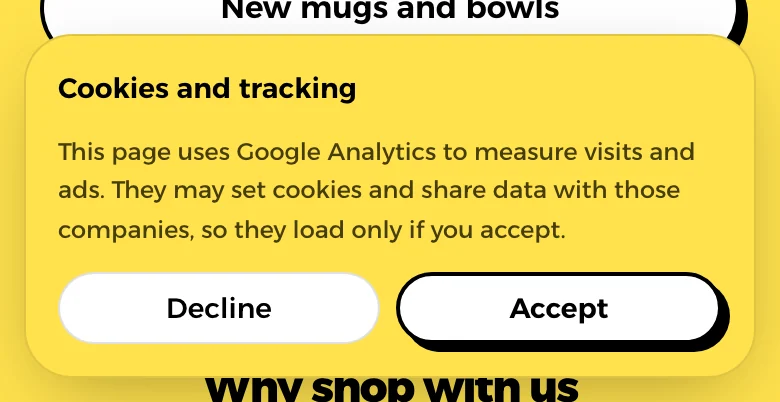
- Accept loads them now and on your later visits to the page.
- Decline loads none of them.
The page works the same either way. Every link, form and button is there whether you accept or decline.
Change your choice
- Scroll to the very bottom of the page.
- Select Privacy choices, under Made with Linkbase (or the owner's logo in its place), beside Report.
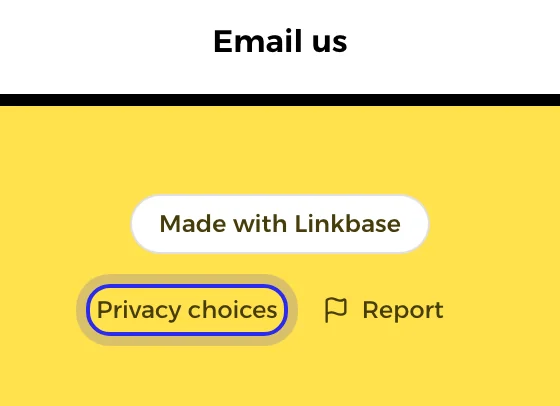
- In the Cookies and tracking box, choose Accept or Decline.
If you change from Accept to Decline, the page reloads without the services.
Declining also deletes the cookies these services are known to set on the page's own site, such as Meta's
_fbp and Google's _ga. It can't reach cookies on the services' own domains, cookies from other tags the
page loads through Google Tag Manager, or data the services already have. To clear anything left, use your
browser's settings. The Cookie Policy explains how in common browsers.
How long your choice lasts
- For this page only. Each page belongs to a different owner who chose their own services, so your answer on one page never applies to another.
- In this browser, on this device. Another browser, another device, a private window or clearing this site's data means you're asked again. If your browser blocks site storage, the choice lasts only for your current visit.
- For up to six months. After that, the page asks again.
- Until the owner changes their services. If they add, change or remove one, you're asked again, because your answer was about the old set.
If you're never asked
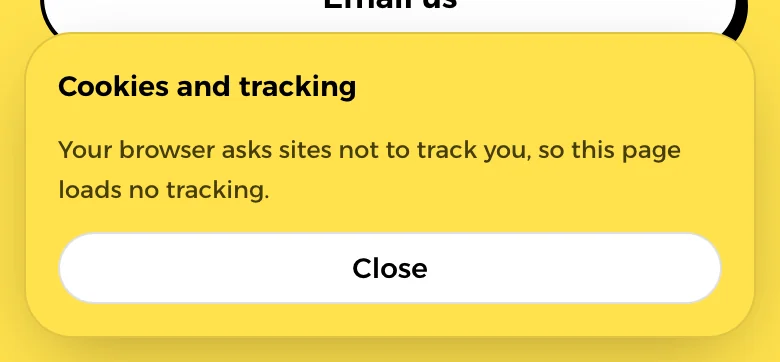
Your browser sends a privacy signal. If your browser sends Global Privacy Control or Do Not Track, the page never asks and never loads a tracking service. Privacy choices then explains: "Your browser asks sites not to track you, so this page loads no tracking." There's nothing to accept while the signal is on, so the box only has Close.
The page has no tracking services. You won't see the box or the Privacy choices button, because there's nothing to choose.
What your choice doesn't cover
- Linkbase's own visit counts. Linkbase counts visits to every page without cookies and without storing your IP address, so this count isn't part of the choice. If your browser sends a privacy signal, your visit is counted anonymously.
- Embedded videos, music and posts. These come from their providers, such as YouTube or Spotify, and usually load only when you choose to play them. The provider's own policy then applies.
- Content you unlock. If you enter a password or confirm your age to open a link or tab, a cookie remembers that for one hour. It's needed for the page to work.
- What you send. Form answers, email signups and bookings go to the page's owner. To stop their emails, see Stop emails from a page you signed up to.
Common questions
I accepted by mistake. Is it too late? No. Select Privacy choices, then Decline. The page reloads without the services, and they won't load on your next visits.
Why did the page ask again when I already answered? Six months have passed, the owner changed their services, or your browser's data for the site was cleared.
Where can I read more? The Privacy Policy covers what Linkbase collects when you visit a page, and the Cookie Policy explains the cookies Linkbase uses and how to manage them.
If this is your page, see Add Meta Pixel, Google Analytics or Tag Manager.