Change or cancel a booking you made
Move a booking to another time or cancel it with the links in your confirmation email, and what to do when a link doesn't work.
Every email about a booking you made on a Linkbase page has links to see, reschedule and cancel it. You don't need an account: the link in the email is your key.
Before you start
Find the confirmation email. Its subject starts with "Booked:", followed by what you booked and the host's name. Under its main button, See your booking, are two links: Reschedule and Cancel booking. If you've moved the booking before, use the newest email, whose subject starts with "Moved:".
Anyone with these links can move or cancel your booking. Don't forward the email or share the links.
Move your booking to another time
- In the email, select Reschedule. Your booking opens, with Choose a new time below it.
- Choose a day, then a time. Only times the host has open appear. They start in the time zone your booking is shown in, and the line under the calendar names it. To use another one, select Change beside it.
- Check the new time and its time zone in the summary, then select Move to this time. To pick another time, select Back.
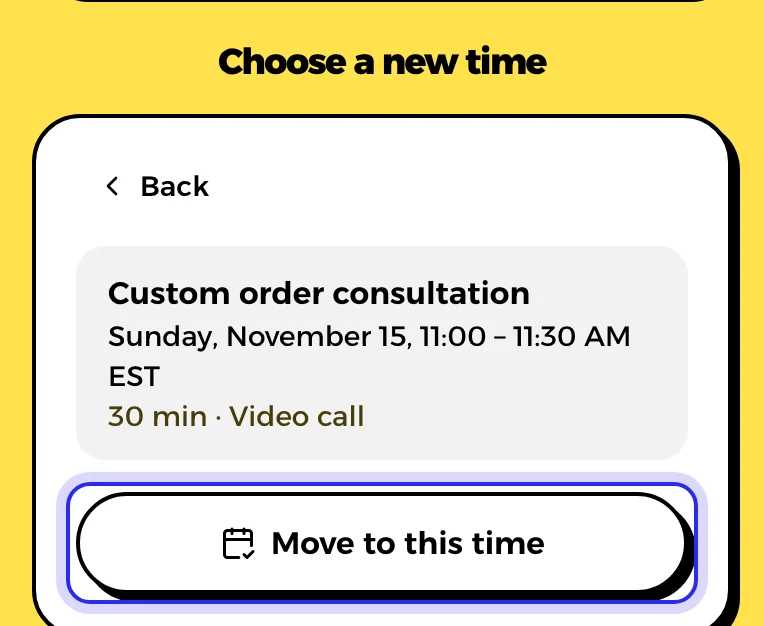
The page shows Your booking has moved, and you and the host each get an email. The invitation attached to yours updates your calendar.
To leave the booking as it is, select Keep it under the calendar.
If the message That time was just taken. Choose another. appears, someone booked that time a moment before you. The calendar reloads, so pick another one.
Cancel your booking
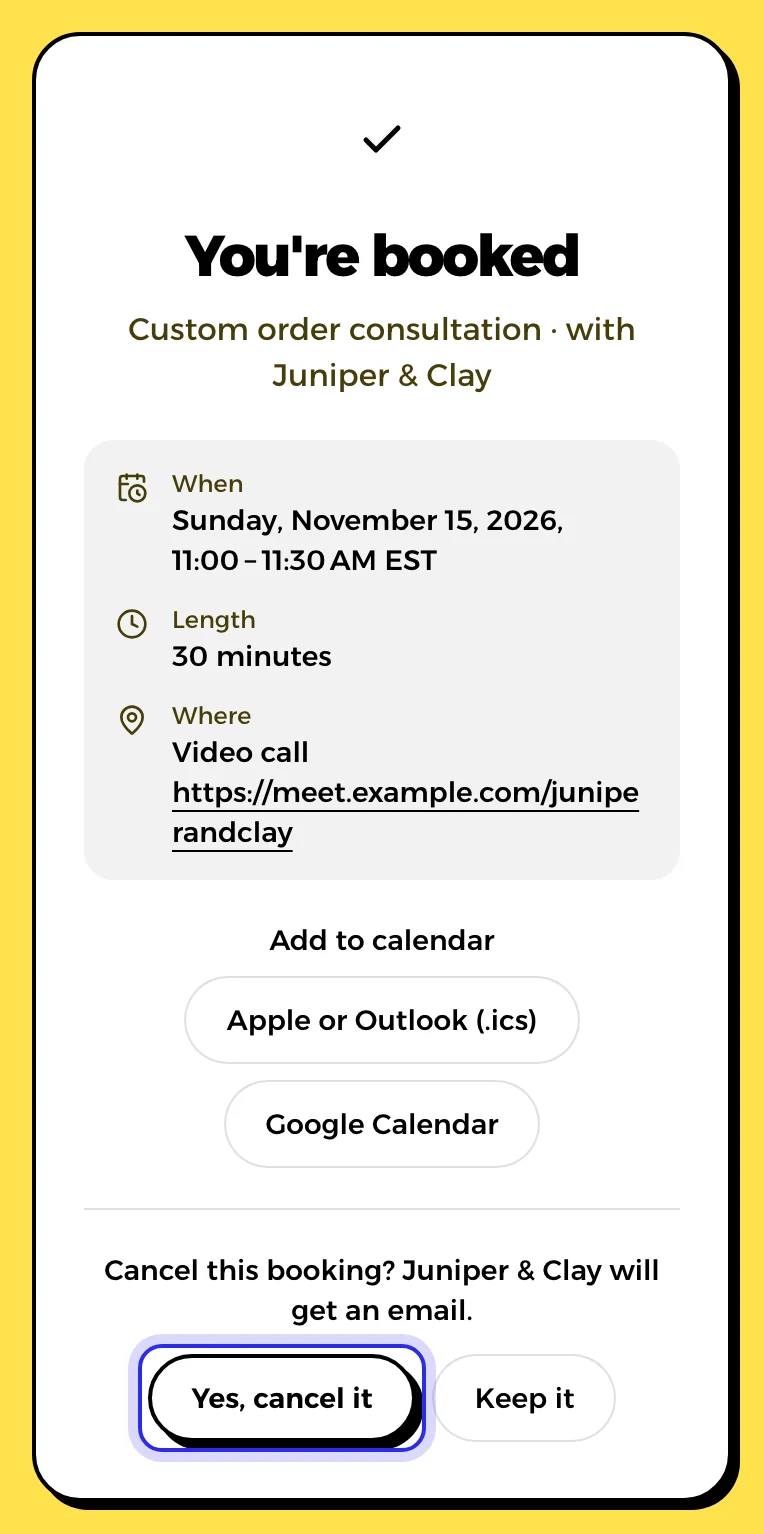
- In the email, select Cancel booking. The page asks whether to cancel and says the host will get an email.
- Select Yes, cancel it. To leave the booking as it is, select Keep it.
The page shows This booking is canceled. You get an email with a file that takes the booking off your calendar, and the host is told. To choose a new time, select Book another time, which opens the host's page.
From your booking's page
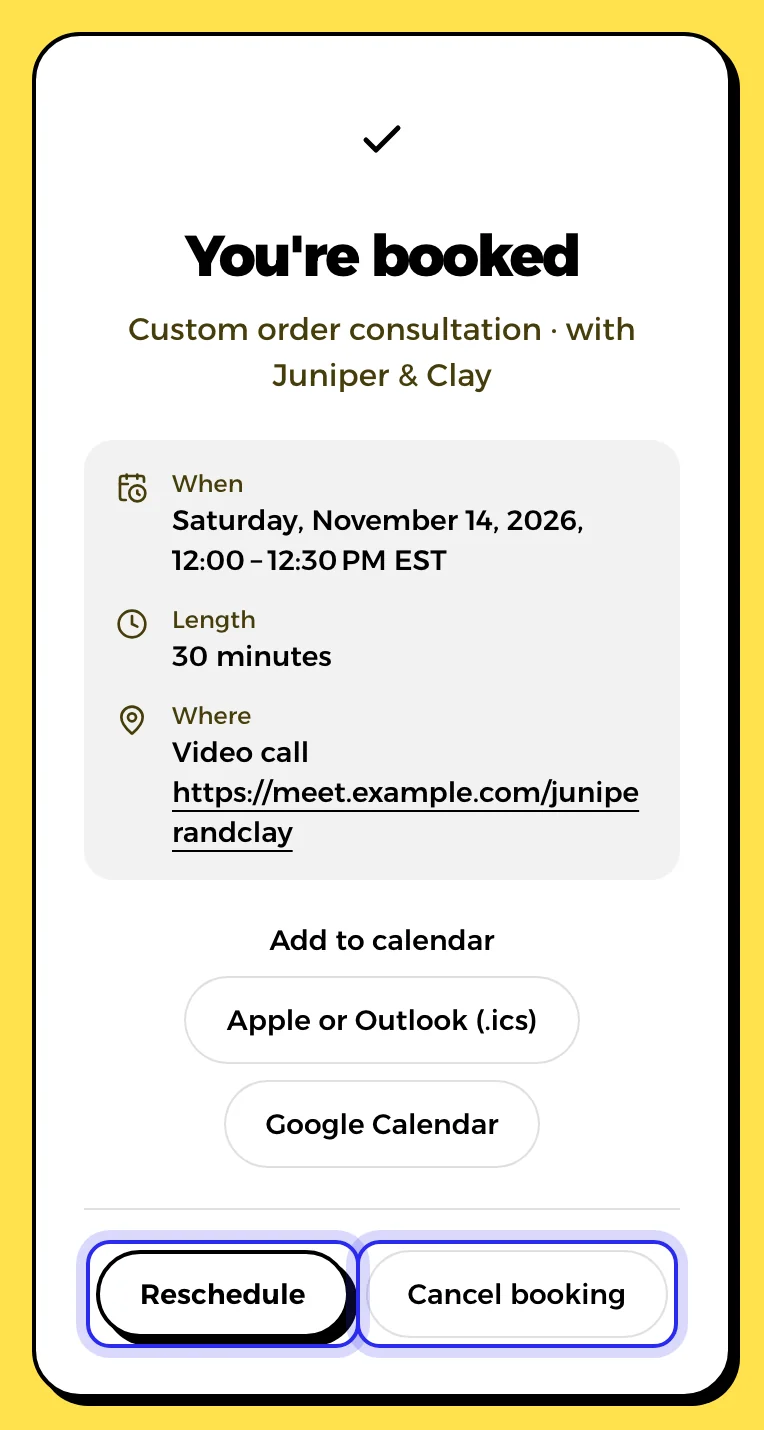
See your booking in the email opens your booking's page: what you booked, when, how long and where, with Reschedule and Cancel booking at the bottom. They work as above.
Add it to your calendar
The confirmation email has an invitation attached. Your booking's page also has Add to calendar, with Apple or Outlook (.ics) and Google Calendar. After you move or cancel the booking, the file attached to the new email updates your calendar.
When you can't change a booking
| What you see | Why | What to do |
|---|---|---|
| This booking has passed | Its start time has passed. | Contact the host. |
| This booking can't be moved online. | The host isn't taking bookings online right now, for example because their page is offline. | You can still select Cancel booking. To move it, contact the host. |
| This booking is canceled | You or the host canceled it, or the host deleted their page. | Select Book another time. If the page is gone, contact the host. |
| This link doesn't work | Links stop working 30 days after the booking ends. | Use the link in the newest email about the booking, or contact the host. |
A Reschedule link from an email opens your booking's page with This booking can't be moved online. when moving isn't possible, so you can still see the booking and cancel it.
Common questions
Can I change my name, email or answers? Not online. Contact the host, or cancel and book again with the right details.
Can I tell the host why I canceled? Canceling doesn't include a message. Contact the host directly if you'd like to explain.
The host canceled. What now? You get an email saying they canceled, sometimes with a message from them. Select Book another time in it to choose a new time. If they deleted their page, the email says so, and there's nowhere to book again.
I paid the host. Do I get a refund? Linkbase doesn't take payments for bookings, so canceling here doesn't refund anything. Ask the host about their refund terms.
I booked twice by mistake. Each booking is separate. Cancel the one you don't want with the links in its own confirmation email.
The emails and the booking's page are in different languages. The emails come in the language the host's page showed you. Your booking's page is part of Linkbase itself, so it shows in one of Linkbase's nine dashboard languages (English, Spanish, Brazilian Portuguese, French, German, Indonesian, Turkish, Arabic and Simplified Chinese), and in English if yours isn't one of them.
I can't find the email. It went to the address you entered when booking. Check your spam or junk folder and search for "Booked:". If it isn't there, contact the host: they can see your booking in their list.
Times in the emails and on your booking's page are shown in the time zone you used when you booked, or when you last moved the booking.
If this is your page, see See and cancel bookings, and how guests reschedule.