Every block you can add, and what it's for
A tour of every block in the block library, grouped by category the way the editor shows them, with what each one is for.
Blocks are the pieces you build your page from: links, text, media, forms and more. The block library sorts them into ten categories, and this guide walks through each one in the same order.
Find and add a block
- In the editor, select Add block in the structure panel, or press A.
- Type what you want into Search blocks, such as "video", "menu" or "booking", or pick a category on the left. Each category shows how many blocks it has.
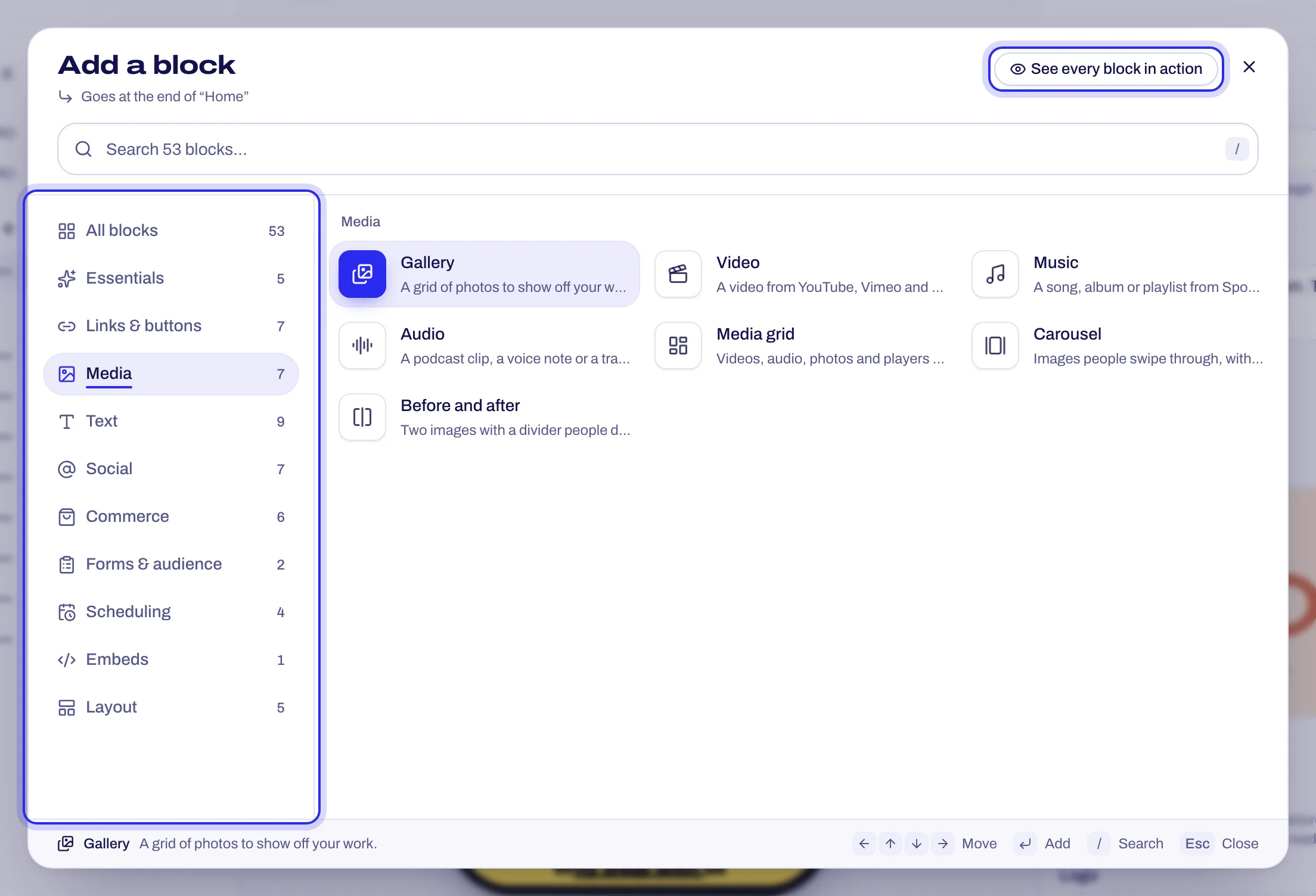
- Select a block to add it. The line under Add a block says where it goes: after the block you selected, or at the end of the tab.
Blocks you've used recently come first. To see every block filled in with sample content before you choose, select See every block in action at the top of the library. The Block gallery shows each one in your page's theme, with Add to page beside it.
Booking and Instagram feed are on the Pro and Team plans. In the library, a block your plan doesn't include shows the plan that does, such as "Needs Pro", and choosing it offers an upgrade. Blocks added before a downgrade stay in your draft, but visitors don't see them until your plan includes them again.
Essentials
| Block | What it's for |
|---|---|
| Link | A button that opens a website, an email, a phone call or another tab, in six layouts. See Add a link. |
| Heading | A title that splits your page into sections, with an optional line under it. |
| Text | A short paragraph about you or your work, up to 2,000 characters. |
| Social icons | Icons that link to your social profiles, placed wherever you put the block instead of in the header. |
| Image | A photo or graphic, with an optional link and caption. |
Links & buttons
| Block | What it's for |
|---|---|
| Button | One prominent call to action, filled, outlined or soft. |
| File | A download row for a file you host elsewhere, such as a menu or a price list. |
| Map | An address people open in Apple Maps, Google Maps or OpenStreetMap. |
| Featured card | A large image card with a title and a call to action, for what you want seen first. |
| QR code | A code visitors scan to open your page, or another address, on their phone. |
| App store buttons | Buttons to get your app on the App Store and Google Play. |
| Contact card | Your name, role and ways to reach you, with Save contact. |
Media
| Block | What it's for |
|---|---|
| Gallery | A grid of photos that open full screen when tapped. |
| Video | A video from YouTube, Vimeo, Loom, TikTok or Twitch that loads only when played. |
| Music | A song, album or playlist from Spotify, Apple Music, SoundCloud, Deezer or Bandcamp. |
| Audio | A podcast clip, voice note or track from a file's web address, with a player. |
| Media grid | Videos, audio, photos and players in a grid you lay out, including files you upload. |
| Carousel | Images people swipe through, with captions and links. |
| Before and after | Two images with a divider visitors drag to compare them. |
The players are covered in Add a video, song or podcast player.
Text
| Block | What it's for |
|---|---|
| FAQ | Questions and answers that open when tapped. |
| Quote | A quotation, with who said it and where. |
| Timeline | Dated milestones on a line, for your story, a CV or a roadmap. |
| Steps | A numbered "How it works", one step after another. |
| Checklist | What's included and what isn't, marked with checks and crosses. |
| Callout | A highlighted notice: news, a tip, a warning or good news. |
| Table | Rows and columns of text, such as sizes or a timetable. |
| Code | A snippet of code or text to copy, shown exactly as written. |
| Ticker | Short phrases or announcements that scroll across the page. |
Social
| Block | What it's for |
|---|---|
| Testimonials | What customers and collaborators say about you. |
| Message buttons | Buttons that open a chat on WhatsApp, Telegram or Signal, a text, a call or an email. |
| Instagram feed | Your latest Instagram posts, kept up to date. Pro and Team. |
| Reviews | Star ratings with their average and a breakdown. You add each review yourself. |
| Stats | Two to four big numbers, such as followers or projects done. |
| Logo wall | Logos of partners, sponsors or places you've been featured. |
| Team | The people behind your work, with photos, roles and links. |
Commerce
Commerce blocks show your prices and send visitors to your own checkout or payment link. Linkbase doesn't take payments; see How payments work on Linkbase.
| Block | What it's for |
|---|---|
| Products | Product cards with a price and a buy button. See Sell with product cards. |
| Menu | Dishes or services in sections, with prices and dietary tags. |
| Coupon | A discount code to copy, with an expiry date and a shop link. |
| Pricing | Up to three plans side by side, with one highlighted. |
| Tip jar | Buttons with amounts that open your own payment link. |
| Goal | A progress bar towards a fundraising or sales target, which you update yourself. |
Forms & audience
| Block | What it's for |
|---|---|
| Form | Questions visitors answer and send to you, like a contact or inquiry form. See Build a form. |
| Email signup | Collects the email addresses of visitors who want to hear from you. See Collect email signups. |
Replies and signups land in Audience, where you can export them.
Scheduling
| Block | What it's for |
|---|---|
| Countdown | The time left until a launch, a sale or an event. Afterwards it shows your message, or disappears. |
| Booking | Lets visitors book a call, a session or an appointment. Pro and Team. See Set up bookings. |
| Opening hours | When you're open each day, and whether you're open right now. |
| Events | Upcoming events or tour dates, with tickets and Add to calendar. |
Embeds
| Block | What it's for |
|---|---|
| Embed | A player from YouTube, Vimeo, Spotify, SoundCloud, Apple Music or TikTok that loads with the page. |
Layout
| Block | What it's for |
|---|---|
| Divider | A line, dots, a wave, another pattern or some space between blocks. |
| Cover | A big title over an image or your theme's colors, with up to two buttons. |
| Image and text | An image beside a heading, some text and a button. |
| Features | A grid of features or services, each with an icon and a line or two. |
| Folder | Groups blocks under a title that opens and closes, or in a grid or carousel. See Group links in a folder. |
Common questions
Can I put blocks side by side? Put them in a Folder with the Grid layout, in two or three columns, or the Carousel layout for a row people swipe.
Why does a block show a dashed box? It isn't finished yet, such as a link without an address or a gallery without images. The box says what it needs. Visitors never see an unfinished block.
Can I move a block to another tab? Yes. See Reorder, hide and duplicate blocks.