Skip to content
Features
Build
The editor, blocks, themes and templates
Share
QR codes, short links and your own domain
Understand
Analytics, live visitors and email reports
Earn and grow
Products, tips, bookings and signups
Teams and agencies
Your team, client workspaces and reports
Every language
40 page languages, right to left too
Trust and privacy
Cookie-free analytics, page health and passkeys
See all features
Resources
Blog
Practical guides for creators, businesses and agencies.
Guides
In-depth guides to selling, growing and reaching the world.
Help center
Step-by-step answers for every part of Linkbase.
For agencies
Templates
Pricing
Sign in
Get started
Menu
Features
Build
Share
Understand
Earn and grow
Teams and agencies
Every language
Trust and privacy
See all features
Resources
Blog
Guides
Help center
For agencies
Templates
Pricing
Sign in
Get started
Language
English
Español
Português (Brasil)
Français
Deutsch
Bahasa Indonesia
Türkçe
العربية
简体中文
Language
English
Español
Português (Brasil)
Français
Deutsch
Bahasa Indonesia
Türkçe
العربية
简体中文
Help center
Share your page
Your address, QR codes, short links, your own domain and search.
8 articles
01
Start here
Share your page
Copy your page's address, share it anywhere, and pick the right tool for print, campaigns and single tabs.
02
Create and style a QR code
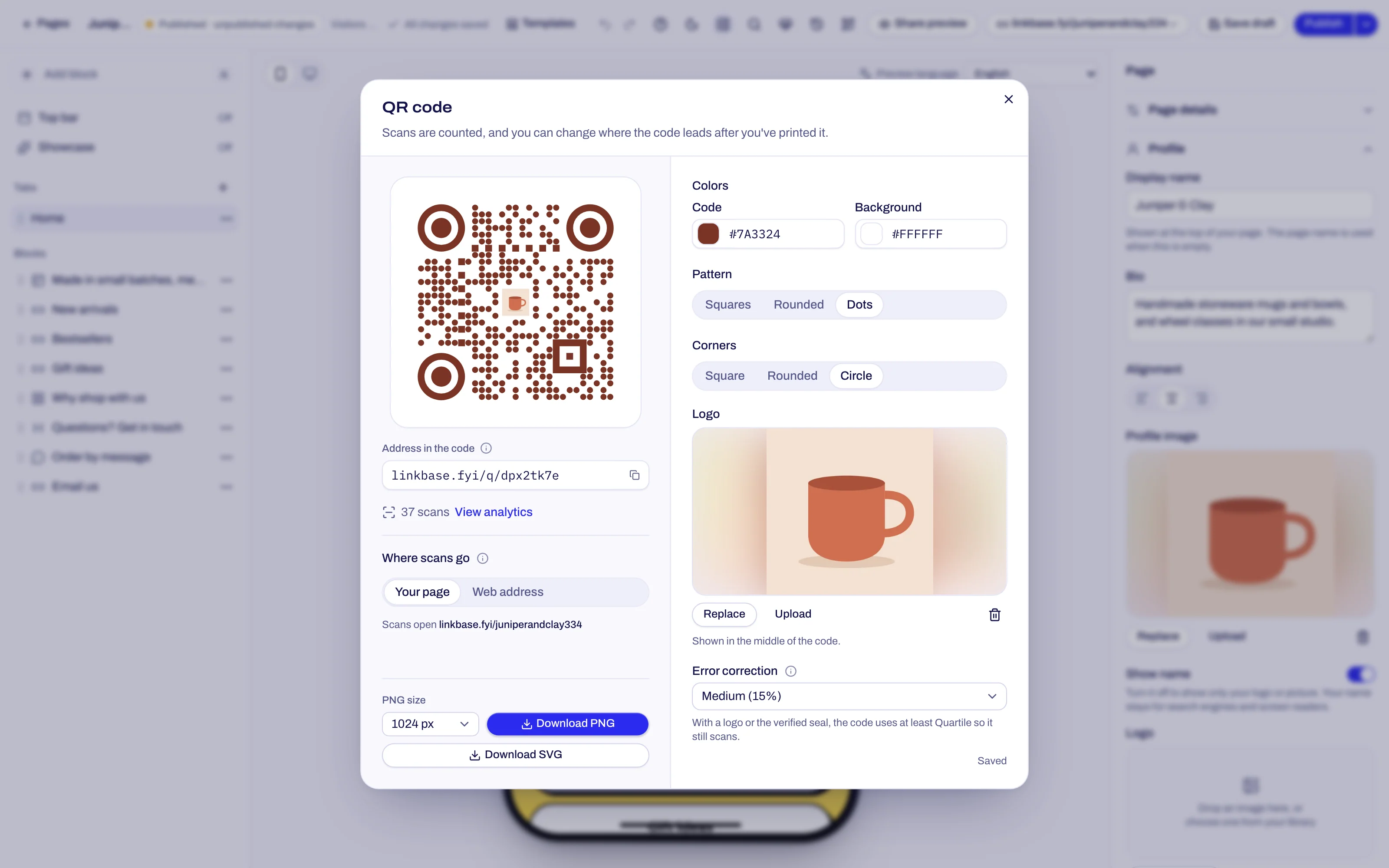
Make a dynamic QR code for your page with your colors and logo, check that it scans, and download it as a PNG or SVG.
03
Track scans and change where a QR code points
See how many people scan each QR code, from where and when, and send a printed code somewhere new without reprinting it.
04
Create short links
Make short, trackable links for flyers, bios and campaigns, change where they lead at any time, and see every click.
05
Connect your own domain
Show your page at a domain or subdomain you own, like links.yourbrand.com, with HTTPS set up for you.
06
Set your search title, description and share image
Choose how your page appears in search results and as a link card in chats and social apps, or hide it from search engines.
07
Send visitors to different links by country or device
Give one link a different destination for each country or device, like the right app store on iPhone and Android. First match wins.
08
Link straight to one tab of your page
Every tab has its own address. Find it, change it, and share or print it so people land on the right section.
Next topic
Grow your audience
Email signups, forms, your audience list, gates and webhooks.
All topics
Getting started
Build your page
Design
Share your page
Grow your audience
Sell and take bookings
Analytics
Languages
Teams and agencies
Account and billing
Privacy, safety and trust
For visitors
Language
English
Español
Português (Brasil)
Français
Deutsch
Bahasa Indonesia
Türkçe
العربية
简体中文