Equipos y agencias
Espacios de trabajo, roles, administradores de clientes, informes y traspasos.
11 artículos
- Empieza aquíCreate and switch workspacesWhat a workspace holds, how to create one for each brand or client, and how to move between them.
- Invite people to a workspaceSend an invitation by email, choose the person's role and which pages they reach, and follow it until they join.
- Roles and what each can doWhat owners, admins, client admins, editors and viewers can each do in a workspace, and which roles take a seat.
- Set up your agency teamInvite the people you work with to your account once, give each a role, and choose which client workspaces they reach.
- Give a client their own adminLet a client manage their own people with the client admin role, see what it can and can't do, and limit how many people and pages they add and how much media they store.
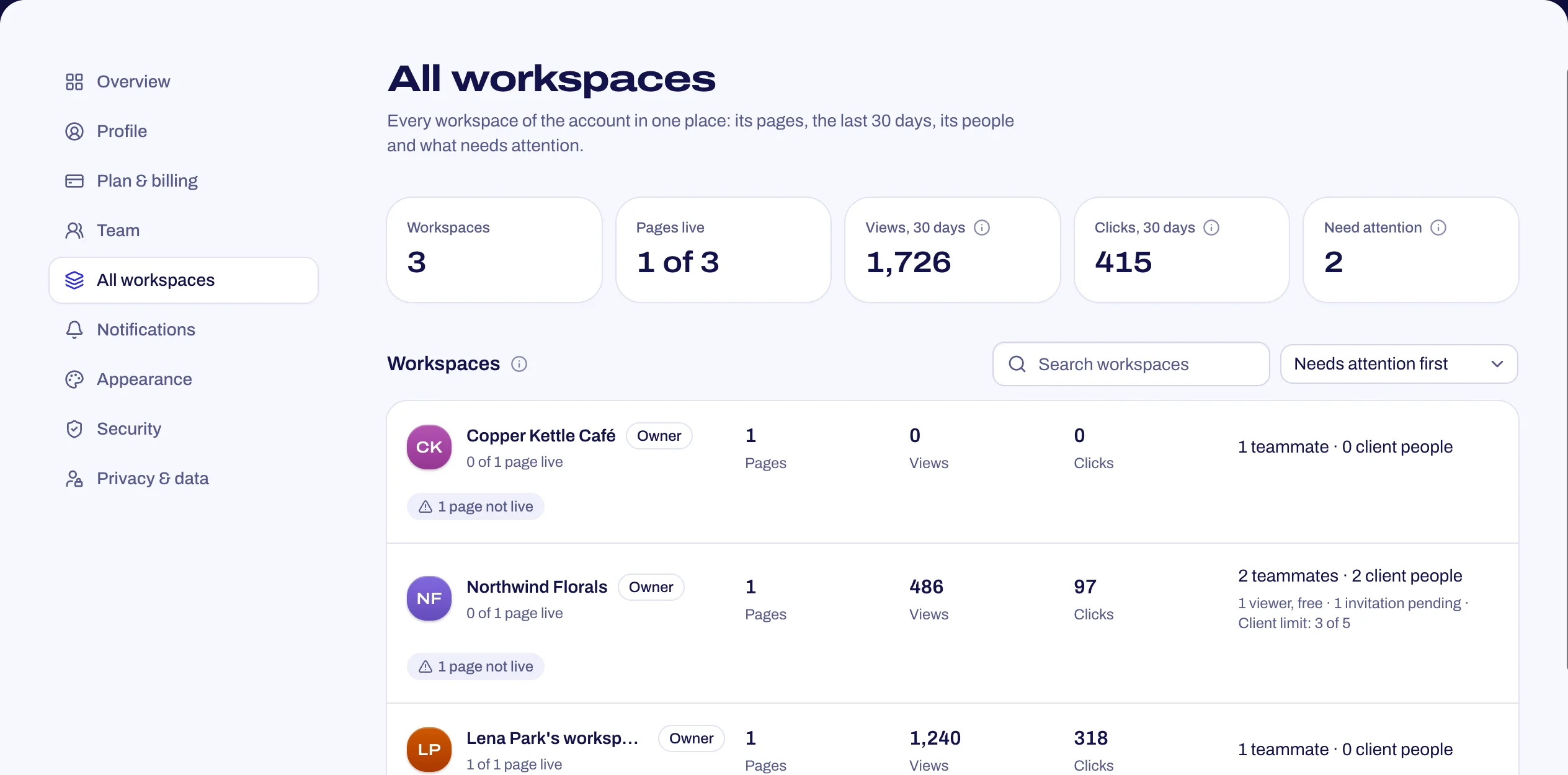
- See all your workspaces at a glanceUse All workspaces to compare every client's pages, traffic and people in one list, and find what needs attention first.
- Schedule reports for clientsEmail a client their page's views, visitors and clicks every week or month, in their language, without sending screenshots.
- Hand a workspace over to a clientOffer a workspace to one of its members, see what changes when they accept, and how long the offer stays open.
- Duplicate a page into another workspaceCopy a page with its tabs, blocks and design into another workspace, such as a new client's, and see what stays behind.
- Notifications and messaging a clientWhat your notification bell shows, how to read and clear it, and how an agency sends a short note to a client's people.
- See who changed whatFind who saved or published each version of a page, and read or download the workspace's audit log of member, settings and billing changes.