Crea tu página
Bloques, enlaces, pestañas y carpetas, borradores e historial de versiones.
12 artículos
- Empieza aquíAdd a link and choose its layoutAdd a link that opens a website, an email, a phone call or another tab, and pick one of six layouts, from a plain button to a photo card.
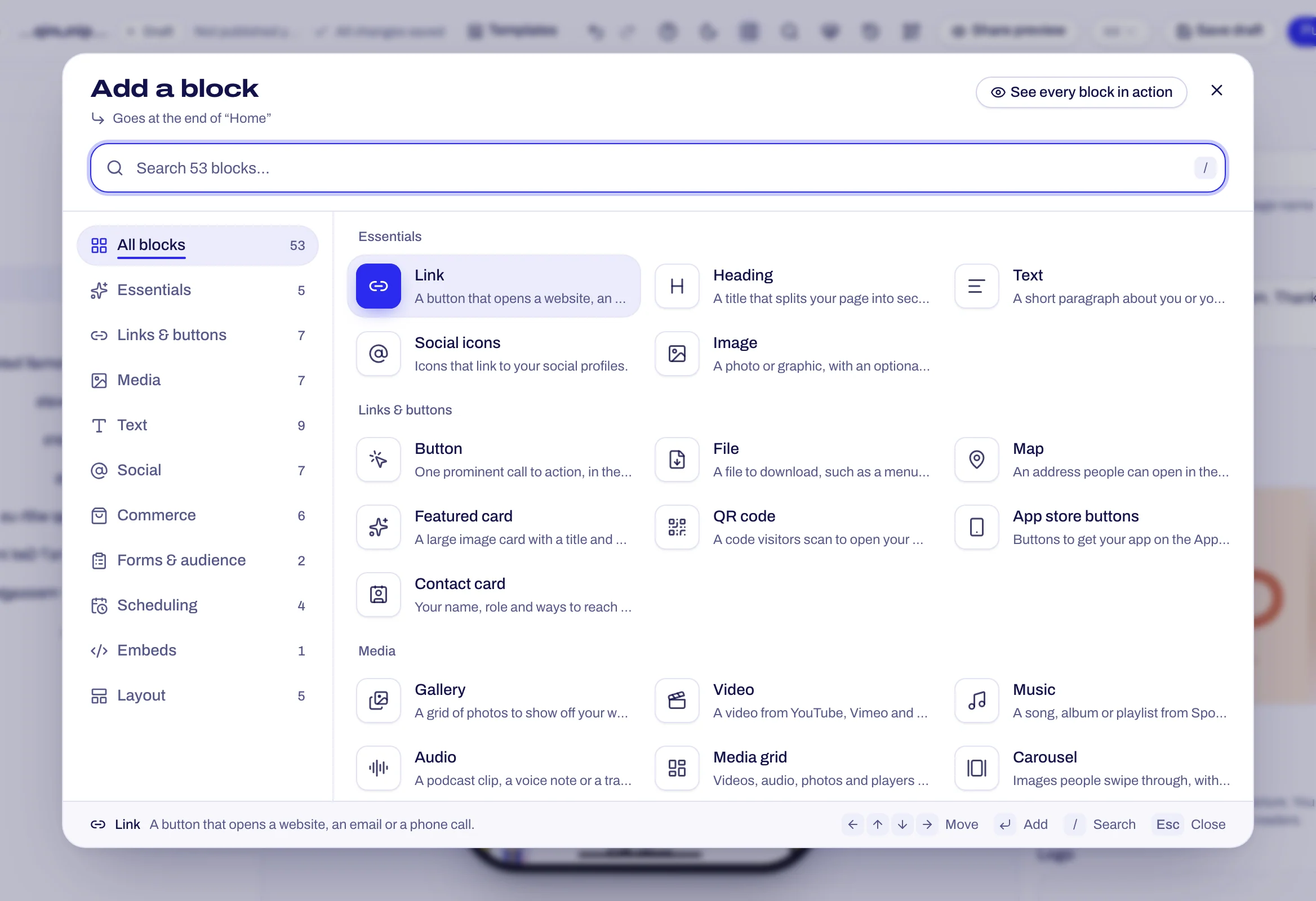
- Every block you can add, and what it's forA tour of every block in the block library, grouped by category the way the editor shows them, with what each one is for.
- Reorder, hide and duplicate blocksMove blocks by dragging or from their menu, hide one without deleting it, make a copy, delete one, and undo any of it.
- Split your page into tabsAdd tabs to your page, name them, give each its own address to share, and hide, reorder or delete them.
- Group links in a folderPut links and other blocks in a folder that opens and closes, or lay them out side by side as a grid or a carousel visitors swipe.
- Show a block only between two datesGive a block a start time, an end time or both, so it appears and disappears on its own, and see how time zones affect it.
- Spotlight a link or send visitors straight to itPin one link to the top of its tab with a frame and an animation, or send your page's address straight to a link for a while.
- Save drafts and share a private previewYour edits stay in a draft until you publish. Save a draft to come back to, share a preview link so others can review it first, and stop a link when the review is done.
- Undo changes and restore an earlier versionUndo and redo while you edit, and use version history to restore a saved draft or roll your live page back to an earlier version.
- Upload and reuse imagesUpload images to your workspace's media library, reuse them in any block or page, and see which files work and what sizes visitors get.
- Add a video, song or podcast playerPlay videos, songs, playlists and podcasts on your page with the Video, Music, Audio, Media grid and Embed blocks, and see which services each plays.
- Set up your page's top barAdd a bar across the top of your page with a menu, search, contact, share and language buttons, links and your name, and choose how it looks.