Let visitors change your page's language
Add a Language button to the top of your page so visitors can switch Linkbase's buttons and messages to any of 40 languages.
Turn on the Language button, and visitors can switch the buttons, messages, dates and prices on your page to any of 40 languages. It helps the visitor whose phone is set to one language but who would rather read another. Your own words stay exactly as you wrote them.
The button is on every plan, and it works with either Default language setting: your default is what visitors see until they pick something else.
If your page has a top bar, the bar replaces the round buttons at the top of your page. Add the Language item to the bar so visitors can still switch. See Use it in the top bar.
Turn it on
- Open your page in the editor. With no block selected, the settings panel on the right shows Page, your page's settings. If a block's settings are showing, select your name at the top of the preview.
- Open Page details.
- Turn on Let visitors change the language, under Default language.
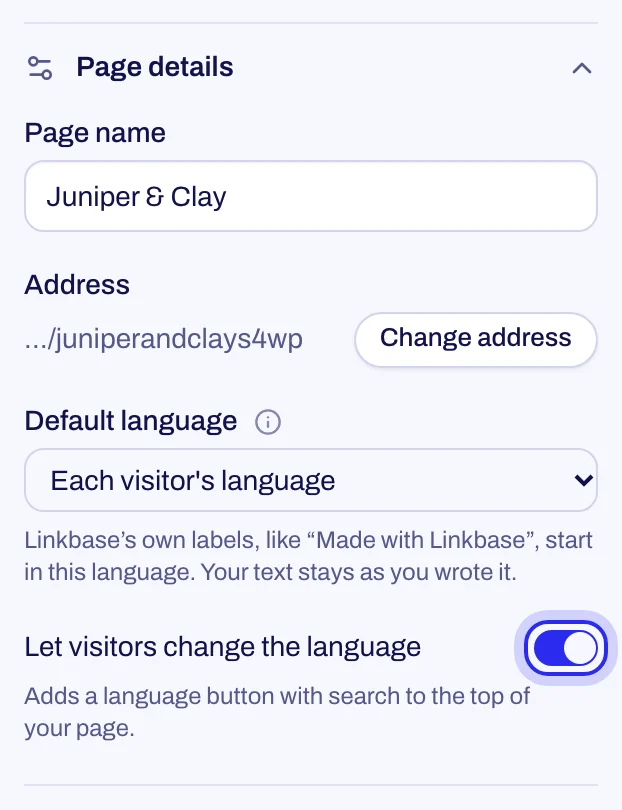
- Select Publish in the top bar.
A round button with a language icon appears at the top of your page, at the end of the row: on the right on left-to-right pages, and on the left on right-to-left pages.
Place it with your other buttons
The Language button is one of your page's round buttons, with Add contact, Share and Search. You arrange them together.
- In your page's settings, open Top bar & buttons.
- Under Page actions, check that Language is turned on. It's the same switch as the one in Page details.
- In the picture of the top of your page, drag the language icon to Start or End, or into Off to hide it. With a keyboard, focus the icon and use the left and right arrow keys.
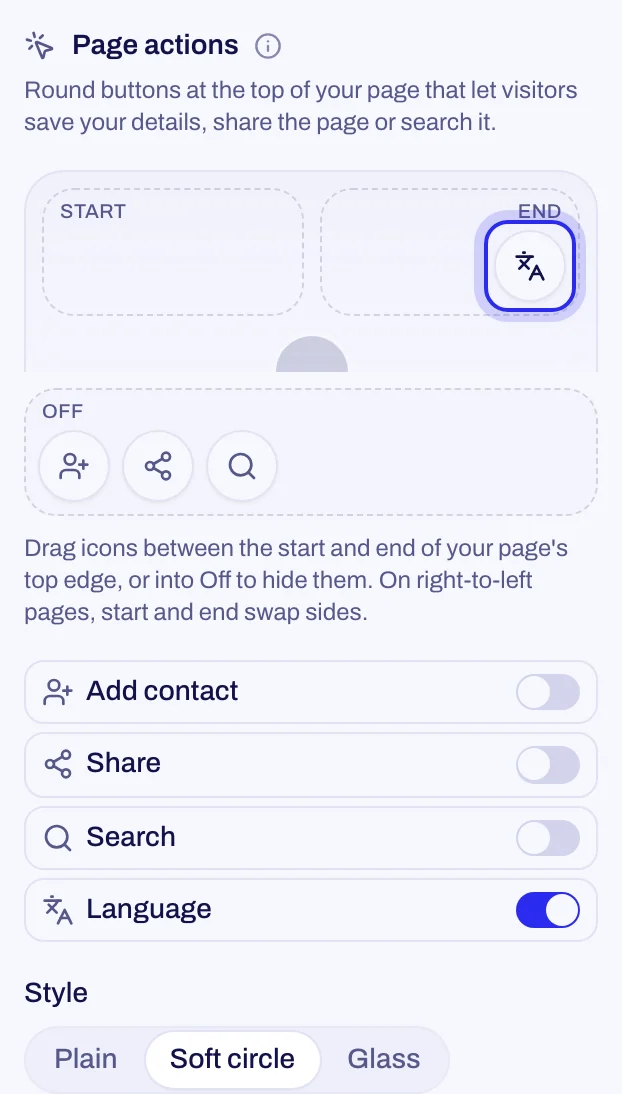
- Choose a Style for all the buttons: Plain, Soft circle or Glass.
On right-to-left pages, start and end swap sides. To open these settings quickly, select the round buttons in the preview.
Use it in the top bar
While your page's top bar is on, it replaces the round buttons, so the language button lives in the bar instead.
- Turning the bar on adds the Language button to it when it's turned on in your page actions, with your other round buttons.
- To add it yourself, open the top bar's settings, select Add item, and choose Language. It goes to the end of the bar; drag it to Start or Center if you like.
- If you turned it on after the bar, open Top bar & buttons and select Add them to the top bar.
Visitors see the same list of languages from the bar's button. See Set up your page's top bar.
What visitors see
- They select the language button. A list opens with Page's default at the top, then all 40 languages, each in its own name, such as Deutsch or 日本語, with its name in the page's current language below. On a page with a fixed default language, that language's name shows under Page's default.
- They can type in Search languages to find one by its own name, its name in the page's language, its English name or its code, with or without accents. Pressing Enter picks the first match. If nothing matches, the list says No matching language.
- They select a language, and the page reloads in it.
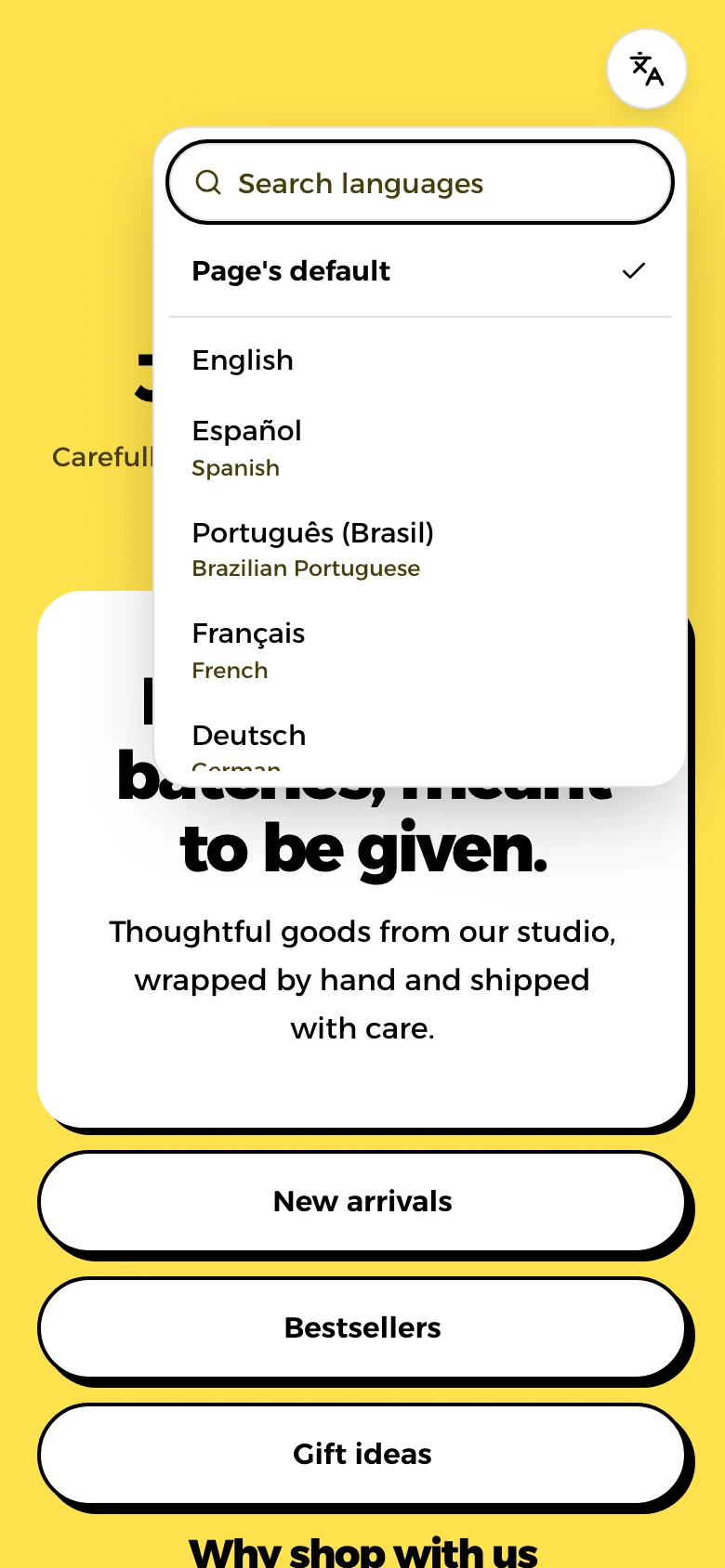
Linkbase's labels change, and so do the formats of dates, times and prices. Choosing Arabic, Hebrew, Persian or Urdu mirrors the page right to left, and choosing another language turns it back.
The choice is remembered in that browser for a year, for your page only, and wins over your Default language. On your own domain, it's remembered for that domain. Other Linkbase pages the visitor opens show their own language.
Choosing Page's default forgets the visitor's choice. Your page goes back to your Default language, or to the visitor's browser language if you chose Each visitor's language.
Troubleshooting
The button isn't on my page. Check that you published after turning it on. Then open Top bar & buttons: if Show the top bar is on, the bar replaces the round buttons, so add the Language item to the bar. Otherwise, check that Language isn't in Off.
My own page now opens in another language. You picked one while trying the button, and your browser remembers it for this page. Open the button and choose Page's default.
My bio and links didn't change. That's expected: Linkbase never translates your words. To reach readers of several languages, see Write your page in more than one language.
A visitor says their booking's page is in English. Emails from your page, such as signup confirmations and booking emails, come in the language your page showed them, including one they picked with the button. The booking page that the email's links open, to reschedule or cancel, is part of Linkbase itself. It shows in one of the nine dashboard languages, and in English otherwise.