Choose your page's default language
Show Linkbase's buttons and messages in one fixed language or in each visitor's own, and see what each choice changes on your page.
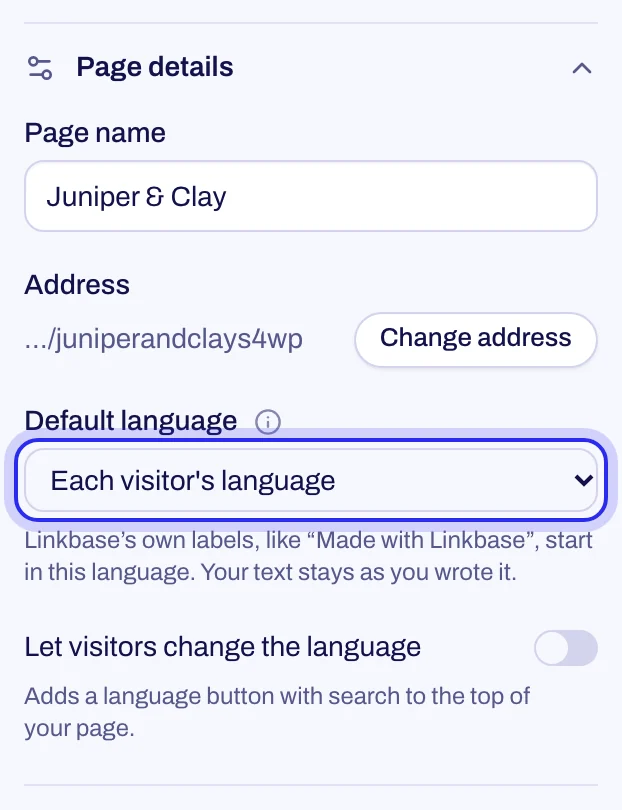
Your page's Default language sets the language of everything Linkbase adds to your page: buttons such as Subscribe and Book a time, form labels and messages, the Made with Linkbase badge, and how dates and prices are written. Choose one fixed language, or Each visitor's language to follow each visitor's browser. Your own words always stay exactly as you wrote them.
All 40 languages are on every plan.
Set the default language
- Open your page in the editor.
- Look at the settings panel on the right. With no block selected, it shows Page, your page's settings. If a block's settings are showing, select your name at the top of the preview. On a phone, the settings open in a sheet.
- Open Page details, the first section.
- Under Default language, choose Each visitor's language, or a language under Popular or More languages. Each language is listed in its own name, such as Deutsch or 日本語. Type its first letters to jump to it.
- Select Publish in the top bar.
Visitors see the new language once the page is published. Until then, it applies only to the editor and to draft preview links.
What each choice changes
| Each visitor's language | One fixed language | |
|---|---|---|
| Buttons, labels and messages | In the visitor's browser language, or in English if Linkbase doesn't have it | In the language you chose, for everyone |
| Dates, times, prices and numbers | Written the way the visitor's language writes them | Written the way your chosen language writes them |
| Direction | Right to left for visitors whose language is Arabic, Hebrew, Persian or Urdu | Right to left for everyone if you choose one of those |
| Language declared to screen readers and search engines | Changes with each visitor | Always the one you chose |
Choose one language when your page is written in it and your visitors read it. The buttons then match your words, and screen readers always read the page with the right voice.
Choose Each visitor's language when your visitors come from many countries, or your page is written in more than one language. A visitor whose browser asks for Polish sees the buttons in Polish, even if your bio is in English.
Not sure what your visitors read? In Analytics, the Languages card shows the language each visitor's browser asks for first.
The 40 languages
Popular: English, Spanish, Brazilian Portuguese, French, German, Indonesian, Turkish, Arabic and Simplified Chinese. These are also the dashboard's languages.
More languages: Malay, Catalan, Czech, Danish, Filipino, Croatian, Italian, Swahili, Hungarian, Dutch, Norwegian Bokmål, Polish, European Portuguese, Romanian, Slovak, Finnish, Swedish, Vietnamese, Greek, Bulgarian, Russian, Ukrainian, Hebrew, Urdu, Persian, Hindi, Bengali, Thai, Korean, Japanese and Traditional Chinese.
With Each visitor's language, the page uses the first language on the visitor's browser list that it has. Regional varieties count: Austrian German gets German, Portuguese from Portugal or Angola gets European Portuguese, and Chinese for Taiwan or Hong Kong gets Traditional Chinese. A visitor whose languages Linkbase doesn't have sees English.
Check it before you publish
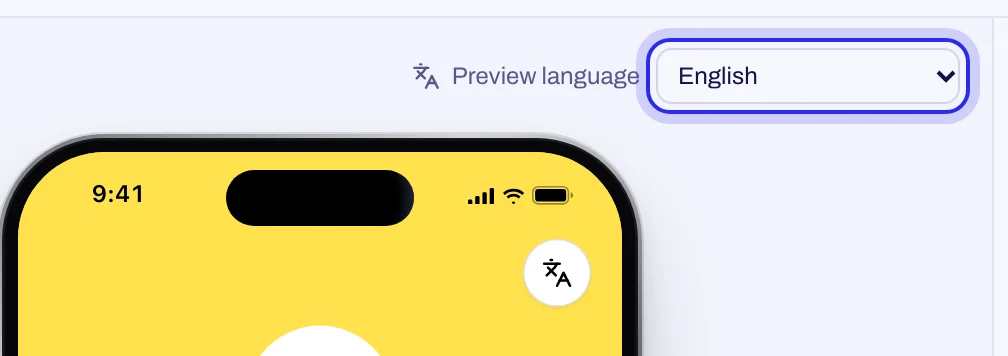
Above the preview, on the right, Preview language shows the built-in labels in any of the 40 languages, as visitors who read it see them. It doesn't change your setting. On a phone, you'll find it in the Design sheet.
What else follows the page's language
- Emails to your visitors, such as the signup confirmation and booking emails, come in the language the page showed them, in any of the 40 languages. The booking page that a booking email's links open, to reschedule or cancel, is part of Linkbase itself, so it shows in one of the nine Popular languages, or in English.
- A visitor's own pick. If you add a Language button, a visitor's choice wins over your default, on your page only. See Let visitors change your page's language.
Common questions
Does Linkbase translate my text? No. Your bio, link titles and every other word you write appear as you typed them. For ways to serve several languages, see Write your page in more than one language.
My page shows the wrong language when I open it. If you picked a language with your page's Language button while testing, your browser keeps showing your page in it, over your default. Open the button and choose Page's default. On a page set to Each visitor's language, also check which language is first in your browser's settings.
Does this change my dashboard? No. The dashboard has its own setting. See Change your dashboard's language.