Change your dashboard's language
Switch the dashboard and editor to one of nine languages, and see what the choice changes and what it leaves alone.
You can use the Linkbase dashboard and editor in nine languages and switch at any time, for yourself or to check what a teammate sees. The choice is yours alone: it doesn't change your page, and it doesn't change what your teammates see.
The nine languages
The language menu lists each language in its own name:
| Language | In the menu |
|---|---|
| English | English |
| Spanish | Español |
| Brazilian Portuguese | Português (Brasil) |
| French | Français |
| German | Deutsch |
| Indonesian | Bahasa Indonesia |
| Turkish | Türkçe |
| Arabic | العربية |
| Simplified Chinese | 简体中文 |
In Arabic, the whole dashboard reads right to left.
Change it from the account menu
- Select your name and email at the bottom of the sidebar. On a phone, open the navigation first. The account menu opens.
- Point to Language. The list of languages opens beside it, with a check mark next to the one you're using.
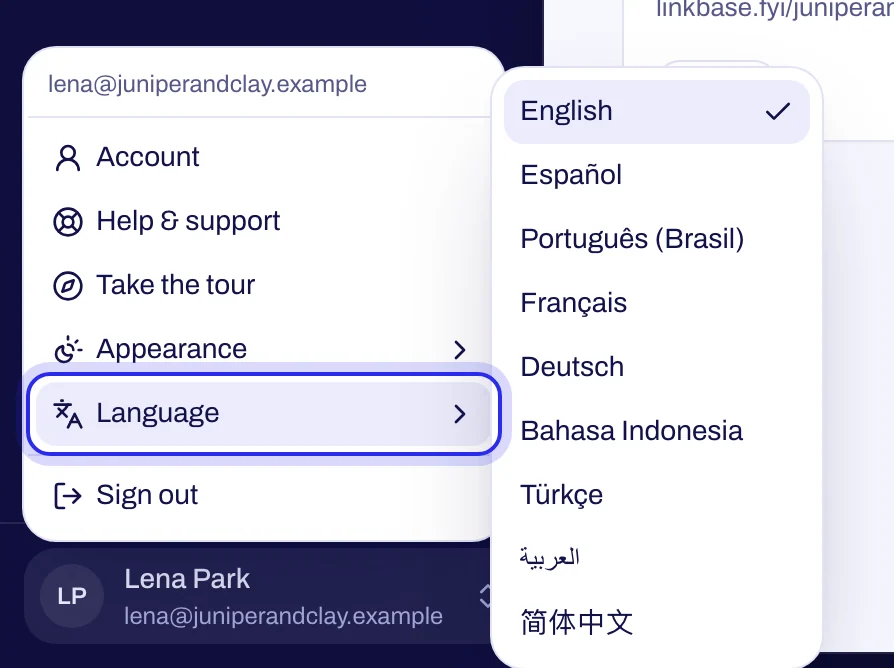
- Select a language.
The dashboard switches right away, and you stay on the same screen.
Change it with the command menu
The command menu works anywhere in a workspace, including the editor, which has no sidebar.
- Press ⌘K on a Mac or Ctrl+K on Windows, or select Search… at the top of the sidebar.
- Type
language, then choose Change language…. The list of languages opens.
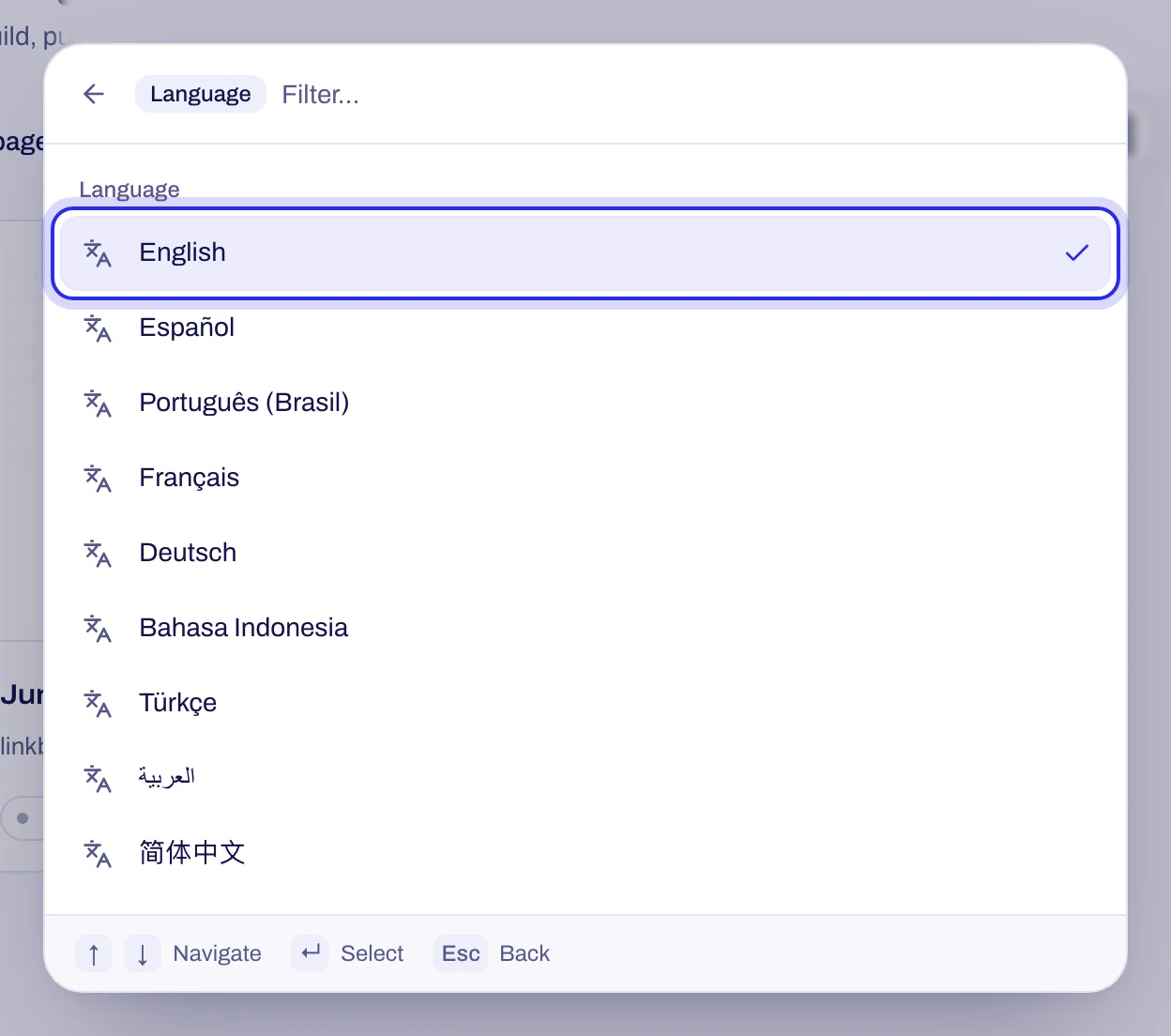
- Select a language. To find one, type its name in the language you're using now, its own name or its code, such as
de.
Before you sign in
The Linkbase website and the sign-in and sign-up pages have a language menu too. Pick your language there, and the dashboard opens in it after you sign in. If you pick it before you sign up, it also becomes the language of the emails Linkbase sends you. If you're already signed in when you pick it, your account remembers it, just as when you switch in the dashboard.
Choose your language before you create your first page. Setup then suggests it as the page's language, and the template you pick comes written in it.
Your emails follow your language
When you switch the dashboard's language, your account remembers it, and emails sent to you, such as sign-in links and billing notices, come in that language. You can also set it on Account → Profile, under Language.
What the dashboard language doesn't change
- Your page. Visitors see Linkbase's buttons and messages in your page's Default language, or in their own. See Choose your page's default language.
- Your teammates. Everyone in a workspace picks their own dashboard language.
- Emails sent for the workspace, such as invitations. Owners and admins set their default language in Settings → General → Email language, then select Save changes. Each scheduled report also has a language of its own.
- Your own words. Page names, tab names, link titles and anything else you or your team typed stay exactly as written.
Common questions
Why did the dashboard's address change? Every language except English adds its code to the address, such as /es/ for Spanish. A dashboard link you bookmark or share opens in that language, so a teammate who opens it may want to switch back to their own.
Can I use the dashboard in another language? The dashboard comes in these nine. Your page can show its built-in labels in 40 languages, including Japanese, Italian, Hebrew and Korean. The full list is in Choose your page's default language.
Will the dashboard mirror if I write my page in Arabic? No. The dashboard follows the language you pick here. Your page follows its own language setting. See Make a right-to-left page.