Lewati ke konten
Fitur
Bangun
Editor, blok, tema, dan template
Bagikan
Kode QR, link pendek, dan domain sendiri
Pahami
Analitik, pengunjung langsung, dan laporan email
Hasilkan dan tumbuh
Produk, tip, reservasi, dan pendaftaran
Tim dan agensi
Timmu, ruang kerja klien, dan laporan
Setiap bahasa
40 bahasa halaman, termasuk kanan ke kiri
Kepercayaan dan privasi
Analitik tanpa cookie, kesehatan halaman, dan passkey
Lihat semua fitur
Sumber daya
Blog
Panduan praktis untuk kreator, bisnis, dan agensi.
Panduan
Panduan mendalam untuk berjualan, bertumbuh, dan menjangkau dunia.
Pusat bantuan
Jawaban langkah demi langkah untuk setiap bagian Linkbase.
Untuk agensi
Template
Harga
Masuk
Mulai
Menu
Fitur
Bangun
Bagikan
Pahami
Hasilkan dan tumbuh
Tim dan agensi
Setiap bahasa
Kepercayaan dan privasi
Lihat semua fitur
Sumber daya
Blog
Panduan
Pusat bantuan
Untuk agensi
Template
Harga
Masuk
Mulai
Bahasa
English
Español
Português (Brasil)
Français
Deutsch
Bahasa Indonesia
Türkçe
العربية
简体中文
Bahasa
English
Español
Português (Brasil)
Français
Deutsch
Bahasa Indonesia
Türkçe
العربية
简体中文
Pusat bantuan
Memulai
Buat halaman, pilih template, lalu tayangkan.
8 artikel
01
Mulai di sini
Create your Linkbase page
Sign up, claim your address, choose a template and add your profiles, then publish your page or save it as a draft.
02
Choose or change your page address
What your page address can contain, what to do when a name is taken or reserved, and how to change it while the old address forwards for 90 days.
03
Start from a template
Browse templates by kind of page, preview one with your own name, and apply it to a new or existing page without losing your work.
04
Add your first links and blocks
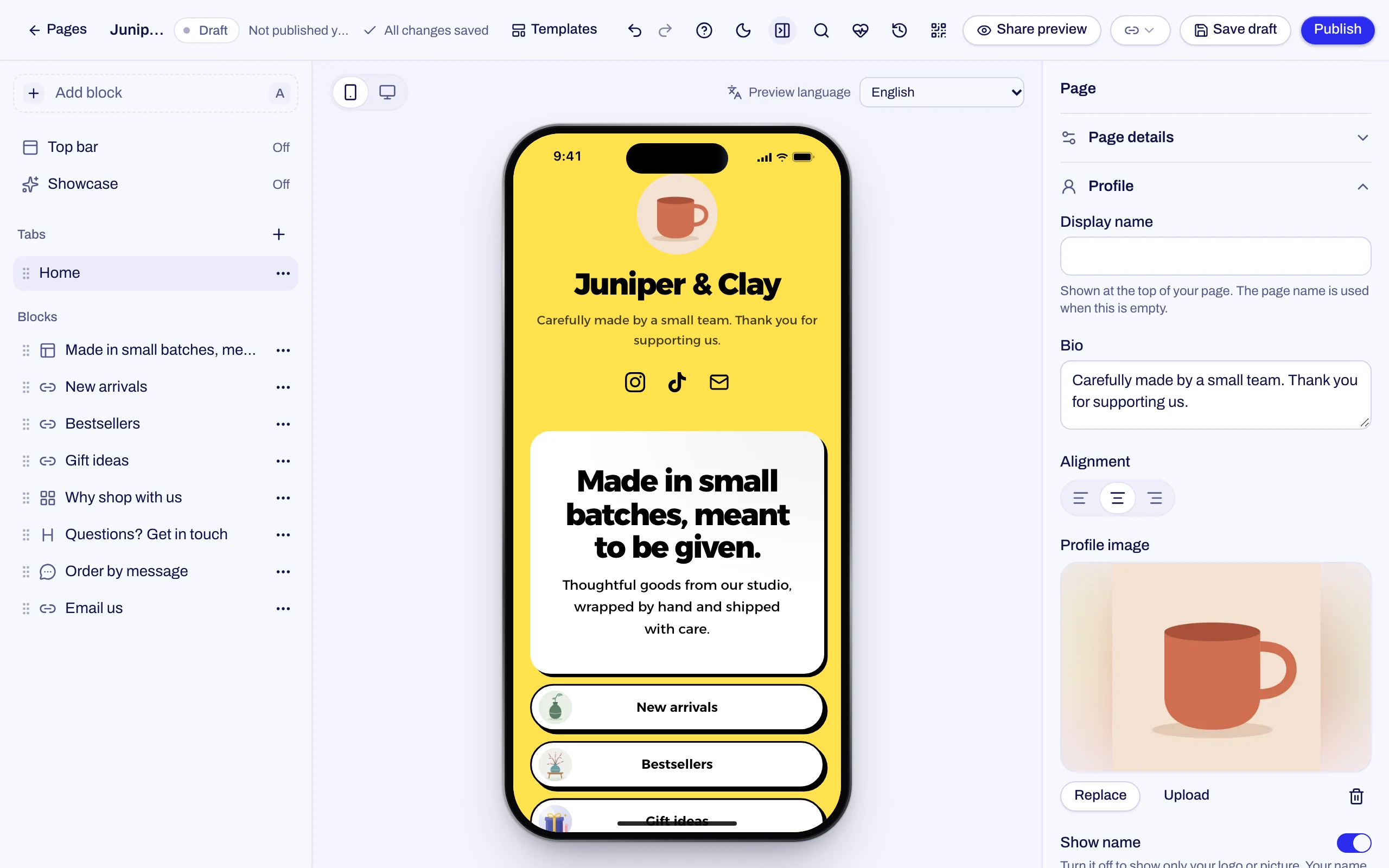
Add a link, a heading and your social icons in the editor, then put them in the order you want visitors to see them.
05
Publish your page and go live
What publishing does, why going live needs a trial or a plan, and how drafts, unpublished changes and unpublishing work.
06
Put your page in your social bios
Copy your page's address and add it to your Instagram, TikTok, YouTube, X and other profiles, with tags that show which bio sends visitors.
07
Find your way around the dashboard
A map of the dashboard: pages and the editor, analytics, audience and bookings, settings and your account menu, and where each task lives.
08
Import links from another link page
Paste the address of your current link page, choose what to bring over, including images and text, and tidy the new draft before you publish.
Topik berikutnya
Membangun halaman
Blok, tautan, tab dan folder, draf, serta riwayat versi.
Semua topik
Memulai
Membangun halaman
Desain
Membagikan halaman
Menumbuhkan audiens
Berjualan dan menerima pemesanan
Analitik
Bahasa
Tim dan agensi
Akun dan tagihan
Privasi, keamanan, dan kepercayaan
Untuk pengunjung
Bahasa
English
Español
Português (Brasil)
Français
Deutsch
Bahasa Indonesia
Türkçe
العربية
简体中文