Make a right-to-left page in Arabic, Hebrew, Persian or Urdu
Mirror your whole page right to left, pick the language setting that suits your visitors, and keep mixed lines of text readable.
A Linkbase page reads right to left whenever it's shown in Arabic, Hebrew, Persian or Urdu. The whole layout mirrors, and Linkbase's own labels appear in that language. Use it when your page is written in one of these languages. What decides it is the language the page is shown in, not the language of your text.
Make the page right to left for everyone
- Open your page in the editor. With no block selected, the settings panel on the right shows Page, your page's settings. If a block's settings are showing, select your name at the top of the preview.
- Open Page details.
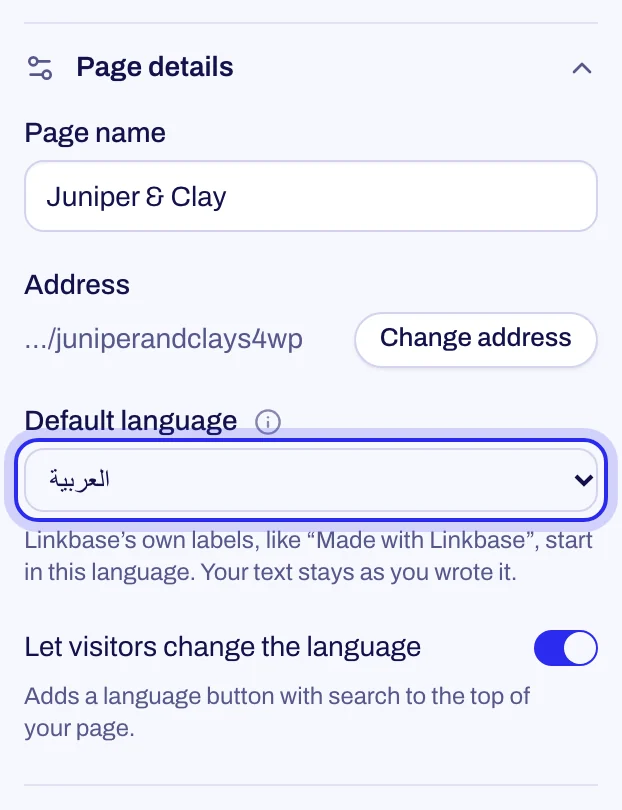
- Under Default language, choose العربية (Arabic) under Popular, or עברית (Hebrew), اردو (Urdu) or فارسی (Persian) under More languages. The preview mirrors right away.
- Select Publish in the top bar.
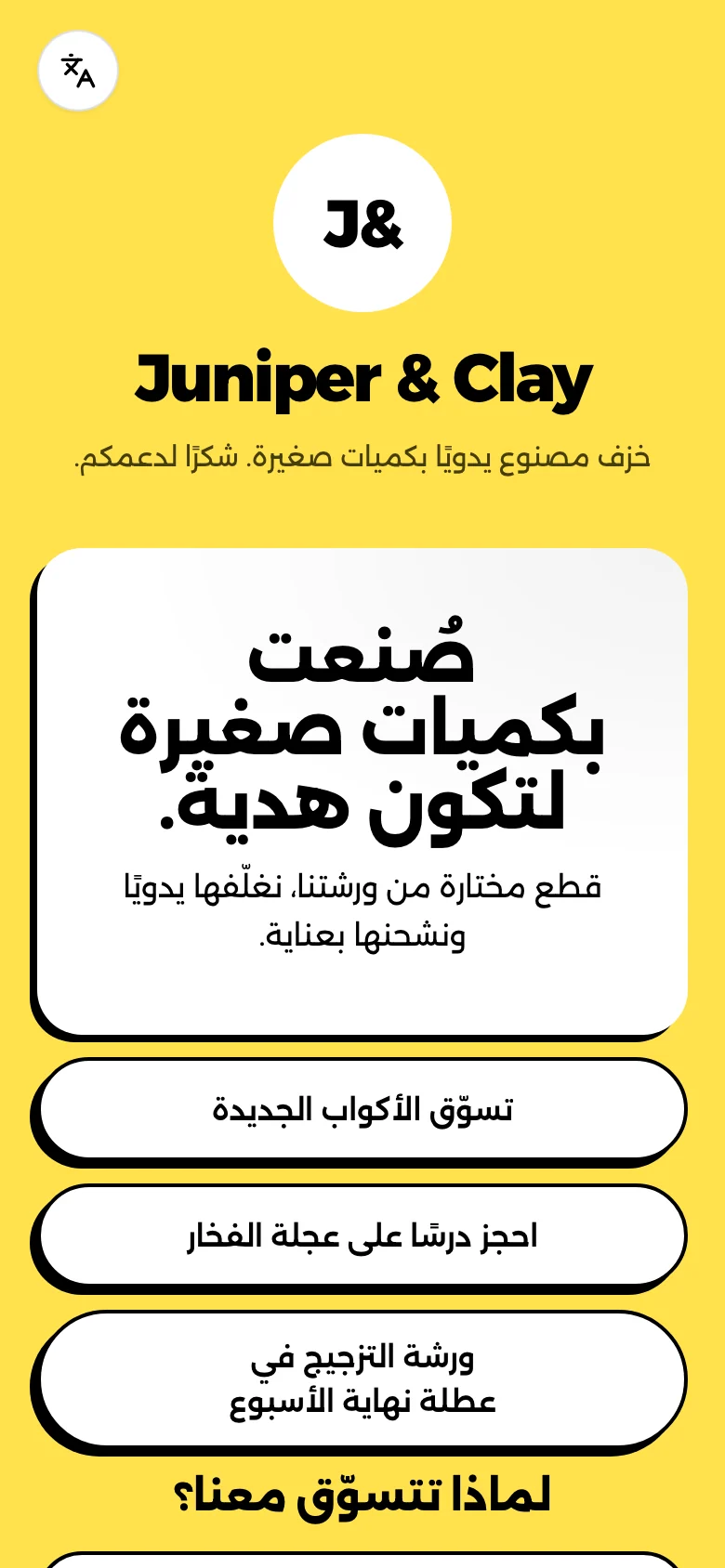
Every visitor now sees the page right to left, with Linkbase's buttons and messages in that language.
If your visitors read more than one language
With Each visitor's language, only visitors whose browser asks for Arabic, Hebrew, Persian or Urdu get the mirrored layout and labels in their language. Everyone else sees the page left to right, and your right-to-left text still reads correctly inside each block. If you add a Language button, a visitor who picks one of the four languages gets the mirrored page, and one who picks English gets it left to right.
The page mirrors as a whole, never one tab or block at a time. An Arabic tab on a page shown in English keeps the left-to-right layout. If most of your readers read Arabic, choose Arabic as the default language.
What mirrors
- Text lines up on the right, and the page reads from right to left.
- Pictures on link cards, a logo beside your name, tags and icons swap sides.
- The top bar and the round buttons at the top swap sides: what you place at Start sits on the right.
- Carousels, sliders, the before-and-after slider and arrow keys follow the reading direction. Tables mirror, and scrolling text moves the other way.
To see it before you publish, choose one of the four languages in Preview language above the preview. On a phone, it's in the Design sheet.
Write mixed lines that read well
Each piece of text you write, such as your bio, a heading or a link title, takes its direction from its first letter. A title that starts with an Arabic word reads right to left. One that starts with a Latin brand name reads left to right, on any page.
- Start each line with a word in its own script. "عروض الصيف · Summer sale" reads right to left. "Summer sale · عروض الصيف" reads left to right, with the Arabic second.
- Give handles, web addresses and phone numbers their own line, or put phone numbers in a contact or messages block. The end of a mixed line, where punctuation sits, is where things most often jump sides.
- Have a fluent reader check every line. Linkbase never translates or changes your words.
Fonts
- Arabic, Persian and Urdu: when your page needs Arabic letters, the font picker offers only fonts that have them, and a theme font without Arabic letters gives way to a matching Arabic font. See Choose fonts for your page.
- Hebrew: fonts aren't matched for Hebrew. Hebrew text uses your theme's font if it has Hebrew letters, and the visitor's device font if it doesn't. Check the page on a phone.
Build it in Arabic, too
The dashboard and editor come in Arabic and run right to left as well. See Change your dashboard's language. Hebrew, Persian and Urdu are available for pages, not for the dashboard.
Dates, prices and numbers follow the page's language as well. Persian pages, for example, show Persian digits and the Persian calendar. See How prices, dates and times are shown.
For a fuller walk-through of an Arabic page, from the language setting to WhatsApp orders, read Right to left, done right.